Used electronics can still hold real value. They can also hold real risk.
A retired laptop, desktop, server, hard drive, storage array, or network switch may look harmless on a shelf. But it may still contain business files, user data, customer records, passwords, health information, student data, or old backups.
That is why selling used electronics should be more than a quick cleanup project. The best process protects data, documents the equipment, confirms condition, determines fair value, and moves assets through a secure channel.
We Buy Used IT Equipment helps businesses, schools, healthcare organizations, data centers, government agencies, and SMBs recover value from retired electronics. We also help keep data security and logistics under control.
Request a quote when you are ready to sell used electronics, bulk IT equipment, or a full office inventory.
Quick Answer: How Do You Prepare Electronics for Sale?
To prepare electronics for sale, start by making a clean inventory. Record the equipment type, manufacturer, model, quantity, condition, specs, and serial numbers when possible.
Next, protect your data. Do not assume a factory reset is enough for business equipment. Data-bearing devices should be wiped, sanitized, destroyed, or handled by a secure ITAD partner.
Then sort equipment by type and condition. Keep accessories, power supplies, trays, rails, cables, and drive caddies with the matching equipment. These details can improve value and speed up the quote process.
Finally, request a quote from a buyer that understands used IT equipment, data security, logistics, and resale markets.
What Types of Used Electronics Can Businesses Sell?
Businesses often have more value sitting in storage than they realize. The strongest resale opportunities usually come from enterprise and business-grade equipment.
Common items include:
- Laptops and desktops
- Workstations
- Servers
- Storage arrays
- Hard drives and SSDs
- Network switches
- Routers and firewalls
- Memory modules
- Processors
- GPUs
- Telecom equipment
- Backup systems
- Monitors and docking stations
Condition, age, brand, specs, and market demand all affect value. Newer enterprise equipment usually performs better than old consumer electronics. Large mixed lots may still be worth reviewing.
Step 1: Build a Simple Inventory
You do not need a perfect spreadsheet to start. Better details usually lead to a better quote.
Try to include:
- Equipment type
- Manufacturer
- Model number
- Quantity
- Processor type
- Memory size
- Drive type and capacity
- Cosmetic condition
- Power status, if known
- Missing parts
- Accessories included
- Location
For servers and storage, include service tags, drive counts, controllers, rails, power supplies, and expansion cards.
For laptops, include screen size, processor, RAM, storage, battery condition, chargers, and any visible damage.
If you have a large lot, photos can help. Take wide photos of the full group and close-up photos of labels, model numbers, and condition issues.
Step 2: Protect Data Before Anything Leaves Your Control
Data security is the most important part of selling used electronics.
Old devices may still contain:
- Customer files
- Employee records
- Accounting data
- Patient information
- Student records
- Login credentials
- Email archives
- Local backups
- Configuration files
- Browser data
Deleting files does not always remove data. A factory reset may not be enough for business devices.
For business and enterprise equipment, use a secure process that follows recognized media sanitization guidance. NIST SP 800-88 Rev. 2 is a key reference for choosing how to clear, purge, or destroy data on electronic media.
We Buy Used IT Equipment can support secure retirement needs through data destruction services and physical data destruction options.
Step 3: Check Physical Condition
Physical condition affects resale value. It also affects how quickly a buyer can process your equipment.
Before sending a list, sort equipment into simple groups:
| Condition | What It Means | Why It Matters |
|---|---|---|
| Working | Powers on and appears complete | Usually has the strongest resale value |
| Untested | Condition is unknown | May still have value, but testing affects pricing |
| Damaged | Cracked, missing parts, or failed hardware | May be valued for parts or recycling |
| Incomplete | Missing drives, trays, chargers, rails, or power supplies | Value depends on missing components |
| End-of-life | Too old or damaged for resale | May need recycling or destruction |
Do not throw away accessories too quickly. Chargers, server rails, drive trays, bezels, caddies, and power supplies may increase resale value.
Step 4: Determine the Value of Your Used Electronics
Used electronics do not have one fixed price. Value changes based on hardware demand, age, condition, brand, specs, and quantity.
Important value factors include:
- Manufacturer and model
- Processor generation
- RAM capacity
- Drive type and size
- Graphics card or GPU model
- Server configuration
- Storage array capacity
- Network port speed
- Cosmetic condition
- Working status
- Quantity available
- Current market demand
- Included accessories
- Data destruction needs
Bulk lots can be valued differently than single items. A full office refresh, school district upgrade, or data center lot may need a line-item review.
If you are not sure whether equipment still has resale value, send the list anyway. A qualified buyer can separate resale-ready assets from recycling-only equipment.
Step 5: Package and Ship Equipment Securely
Shipping matters. Poor packaging can turn working equipment into damaged equipment before it reaches evaluation.
For small shipments:
- Use strong boxes
- Add padding around each device
- Remove loose cables from ports
- Pack laptops flat
- Protect screens
- Use anti-static packaging for drives, memory, and components
- Label boxes clearly
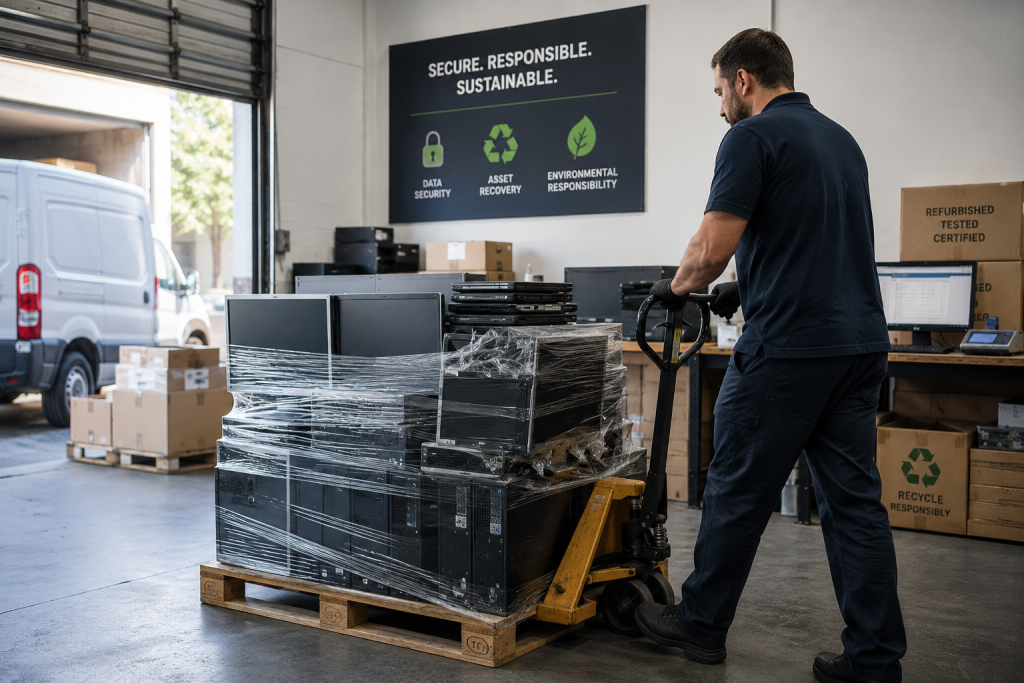
For bulk shipments, pallets, bins, or scheduled pickups may make more sense. We Buy Used IT Equipment offers secure shipping support for eligible equipment and larger projects.
Good logistics protect asset value. They also reduce confusion when your equipment arrives for processing.
Step 6: Choose the Right Buyer
The right buyer should understand both resale value and data risk.
Before choosing a partner, ask:
- Do they buy the equipment types you have?
- Can they handle bulk lots?
- Do they offer data destruction options?
- Can they support secure shipping or pickup?
- Do they provide clear quotes?
- Do they understand business and enterprise hardware?
- Can they separate resale, recycling, and destruction needs?
Avoid buyers that only ask for weight or scrap value. Your equipment may still have resale potential. Also avoid informal buyers when data-bearing devices are involved.
How We Buy Used IT Equipment Can Help
We Buy Used IT Equipment helps organizations sell used electronics through a simple process. The goal is a secure, clear closeout.
1. You Send the Equipment List
Start with a spreadsheet, photos, or a basic description. Include make, model, quantity, condition, and specs when possible.
2. We Review the Value
Our team reviews your equipment for resale demand, condition, configuration, and quantity. For larger lots, we can help identify higher-value assets and recycling-only items.
3. We Coordinate Shipping or Pickup
Depending on the project size and equipment type, we can help with shipping and logistics. We can also support larger asset removal needs.
4. We Support Secure Disposition
Data-bearing equipment can be routed through data destruction or physical destruction options. This helps reduce risk before equipment is reused, resold, or recycled.
5. You Receive a Clear Closeout
The goal is a clean transaction. Equipment gets reviewed. Value is recovered. Data is handled securely. Non-reusable assets are routed responsibly.
Common Mistakes to Avoid
Avoid these mistakes when preparing electronics for sale:
- Selling devices before addressing data security
- Relying only on a factory reset
- Throwing away chargers, caddies, or rails
- Mixing tested and damaged equipment
- Sending equipment with no inventory
- Waiting too long after a refresh
- Ignoring bulk value in office or data center lots
- Choosing a buyer that cannot handle secure disposition
A little preparation can protect data and improve value.
When Should You Sell Used Electronics?
The best time to sell used electronics is usually right after a refresh, relocation, upgrade, office cleanout, or data center project.
Waiting can create problems:
- Market value may drop
- Equipment may get damaged in storage
- Accessories may get separated
- Drives may become harder to track
- Inventory records may become stale
- Storage space gets wasted
If retired equipment is sitting in a closet, office, warehouse, or data center, now is the right time to request a quote.
Sustainability and Secure Recycling
Selling used electronics can support sustainability when equipment is reused responsibly. Reuse extends the life of business technology and can reduce unnecessary e-waste.
When equipment cannot be reused, responsible recycling matters. The EPA encourages electronics reuse and recycling through safe, responsible channels. For businesses, this is also a vendor risk issue. You want a process that protects data and keeps material out of unsafe disposal paths.
We Buy Used IT Equipment can help separate assets that should be resold from assets that need recycling or destruction.
Final Takeaway
Selling used electronics is not just about clearing space. It is about preparing equipment correctly, protecting data, determining value, and choosing a secure partner.
Start with an inventory. Check condition. Keep accessories with the right devices. Protect data before equipment leaves your control. Then request a quote from a buyer that understands business IT equipment.
We Buy Used IT Equipment can help you turn retired electronics into recovered value. Our process stays clear, secure, and practical.
Submit your equipment list to request a quote today.
Frequently Asked Questions
How do I prepare electronics for sale?
Start by making an inventory with equipment type, brand, model, quantity, specs, and condition. Then protect data, sort accessories, take photos, and request a quote from a qualified buyer.
Should I wipe data before selling used electronics?
Yes. Business electronics should be wiped, sanitized, or destroyed before resale or recycling. Do not rely only on deleting files or doing a basic factory reset.
What affects the value of used electronics?
Value depends on brand, model, age, specs, condition, quantity, demand, and included accessories. It also depends on whether the equipment can be resold or must be recycled.
Can businesses sell electronics in bulk?
Yes. Businesses can sell bulk electronics from office refreshes, school upgrades, data center projects, relocations, and storage cleanouts. Bulk lots may require a line-item review.
What if my equipment is too old or damaged to sell?
Old or damaged equipment may still have parts value. If it cannot be resold, it may need secure recycling or physical destruction, especially if it contains data-bearing media.