Skip to content
Facebook Instagram X-twitter Youtube Linkedin

West Coast: (800) 700-7683 — East Coast: (800) 821-1782 — 9033 9th St. Rancho Cucamonga, CA 91730

We Buy Used IT Equipment
Powered By DES
  • Sell Your Equipment
    • Servers
      • Cisco
      • Dell
      • IBM
      • HP
      • Lenovo
      • SuperMicro
    • Backup Tapes
      • LTO Tapes
        • LTO10
        • LTO9
        • LTO8
        • LTO7
        • LTO6
        • LTO5
        • LTO4
        • LTO3
        • LTO Cleaning Tape
      • 3592 Tapes
        • 3592 JK
        • 3592 JE
        • 3592 JD
        • 3592 JC
        • 3592 JB
        • 3592 JA
      • T10k T2 Tapes
      • MLR/SLR Tapes
        • IBM MLR1 SLR32
        • Imation SLR32
        • Sony SLR5
        • Tandberg SLR
        • MLR/SLR Cleaning Tape
      • 4mm Tapes
        • DDS7 – DAT320
        • DDS6 – DAT160
        • DDS5 – DAT72
        • DDS4 – DAT40
      • 8mm VXA Tapes
    • Data Storage
      • Hard Drives
        • HGST
        • Hitachi
        • HP
        • IBM
        • Kingston
        • Samsung
        • Seagate
        • Toshiba
        • Western Digital
      • Storage Arrays
    • Networking
      • Routers
      • Switches
    • VoIP and Telecom
    • Memory
      • Server Memory
      • Laptop Memory
      • Desktop Memory
      • DDR3
      • DDR4
      • DDR5
    • CPUs and Processors
      • Intel Core
      • Intel Xeon
      • AMD
    • Laptops
      • Apple
      • Asus
      • Dell
      • HP
      • IBM Lenovo
      • Samsung
      • Toshiba
    • Tape Drives and Libraries
    • SFP Transceivers
      • Cisco SFP Transceivers
      • HPE SFP Transceivers
    • Scrap Electronics
    • Submit Your List
  • Services
    • Secure IT Asset Disposition
      • Secure Shipping
    • Data Center Services
      • Takeouts
      • Relocation
      • Liquidation
      • Other On-Site Services
    • Data Destruction
      • Data Destruction Compliance
        • Certificate of Data Destruction
        • Physical Data Destruction
        • Permanent Data Erasure
        • Magnetic Degaussing
      • Data Tape Erasure
      • Hard Drive Disposition
        • Hard Drive Sanitization
    • Electronics Recycling
    • Global Advantage Partner
    • Donate to Charity
  • Buy Equipment
    • Backup Tape
    • Data Center Equipment
    • New Equipment
    • Refurbished Equipment
      • Refurbished Servers
    • Warranty Information
  • Lifecycle & Sustainability
    • Lifecycle Services
      • Secure IT Asset Disposition
      • Electronics Recycling
      • Donate IT Equipment to Charity
      • Our ITAD Process
      • Secure Equipment Shipping
    • Resources
      • IT Equipment Recycling
      • E Waste Recycling
      • IT Asset Disposition Guide
      • Data Center Decommissioning
      • Comprehensive Guide to ITAD
      • Guide to Donating IT Equipment to Charity
  • Blog
  • About Us
    • Contact Us
    • Our Processes
    • ITAD White Paper
    • Newsletter
    • References
    • Privacy Policy
    • FAQ
    • Sitemap
  • Get A Quote
  • Sell Your Equipment
    • Servers
      • Cisco
      • Dell
      • IBM
      • HP
      • Lenovo
      • SuperMicro
    • Backup Tapes
      • LTO Tapes
        • LTO10
        • LTO9
        • LTO8
        • LTO7
        • LTO6
        • LTO5
        • LTO4
        • LTO3
        • LTO Cleaning Tape
      • 3592 Tapes
        • 3592 JK
        • 3592 JE
        • 3592 JD
        • 3592 JC
        • 3592 JB
        • 3592 JA
      • T10k T2 Tapes
      • MLR/SLR Tapes
        • IBM MLR1 SLR32
        • Imation SLR32
        • Sony SLR5
        • Tandberg SLR
        • MLR/SLR Cleaning Tape
      • 4mm Tapes
        • DDS7 – DAT320
        • DDS6 – DAT160
        • DDS5 – DAT72
        • DDS4 – DAT40
      • 8mm VXA Tapes
    • Data Storage
      • Hard Drives
        • HGST
        • Hitachi
        • HP
        • IBM
        • Kingston
        • Samsung
        • Seagate
        • Toshiba
        • Western Digital
      • Storage Arrays
    • Networking
      • Routers
      • Switches
    • VoIP and Telecom
    • Memory
      • Server Memory
      • Laptop Memory
      • Desktop Memory
      • DDR3
      • DDR4
      • DDR5
    • CPUs and Processors
      • Intel Core
      • Intel Xeon
      • AMD
    • Laptops
      • Apple
      • Asus
      • Dell
      • HP
      • IBM Lenovo
      • Samsung
      • Toshiba
    • Tape Drives and Libraries
    • SFP Transceivers
      • Cisco SFP Transceivers
      • HPE SFP Transceivers
    • Scrap Electronics
    • Submit Your List
  • Services
    • Secure IT Asset Disposition
      • Secure Shipping
    • Data Center Services
      • Takeouts
      • Relocation
      • Liquidation
      • Other On-Site Services
    • Data Destruction
      • Data Destruction Compliance
        • Certificate of Data Destruction
        • Physical Data Destruction
        • Permanent Data Erasure
        • Magnetic Degaussing
      • Data Tape Erasure
      • Hard Drive Disposition
        • Hard Drive Sanitization
    • Electronics Recycling
    • Global Advantage Partner
    • Donate to Charity
  • Buy Equipment
    • Backup Tape
    • Data Center Equipment
    • New Equipment
    • Refurbished Equipment
      • Refurbished Servers
    • Warranty Information
  • Lifecycle & Sustainability
    • Lifecycle Services
      • Secure IT Asset Disposition
      • Electronics Recycling
      • Donate IT Equipment to Charity
      • Our ITAD Process
      • Secure Equipment Shipping
    • Resources
      • IT Equipment Recycling
      • E Waste Recycling
      • IT Asset Disposition Guide
      • Data Center Decommissioning
      • Comprehensive Guide to ITAD
      • Guide to Donating IT Equipment to Charity
  • Blog
  • About Us
    • Contact Us
    • Our Processes
    • ITAD White Paper
    • Newsletter
    • References
    • Privacy Policy
    • FAQ
    • Sitemap
  • Get A Quote

A Practical Guide to Hard Drive Destruction

Data Destruction
  • Kathy
  • March 25, 2025
  • 1:46 pm
Browse:
Home Data Destruction A Practical Guide to Hard Drive Destruction

The concept of destruction has an oddly satisfying allure.

Whether it’s watching a building being demolished for renovation, witnessing vehicles crash from heights, or simply the act of breaking something, there’s an undeniable fascination in the act of destruction.

But when it comes to the digital world, specifically the world of hard drive destruction services, the satisfaction isn’t just about the spectacle. It’s a crucial step in ensuring data security.

Keep reading to learn everything you need to know about secure hard drive destruction and how We Buy Used IT Equipment can help in the process.

The Invaluable Content of Hard Drives

A typical hard drive houses a treasure trove of data, encompassing personal, business, and confidential information. This data includes old email messages, credit card numbers, bank account details, Social Security numbers, and an array of sensitive information.

The value of this data is immeasurable to those who seek to exploit it.

Companies use such data for competitive advantage and strategic insights, and for malicious actors, it’s a goldmine waiting to be unearthed.

This valuable data can be accessed in two primary ways:

  1. Data Theft: Unauthorized individuals or entities may attempt to steal hard drives or access data from hard drives.
  2. Data Recovery: Even after data has been deleted from a hard drive, it remains recoverable with the right techniques and equipment.

The data deletion process does not permanently remove the data. Instead, it’s stored on the hard drive, waiting to be overwritten.

This characteristic has dual implications: a boon for data recovery under certain circumstances and a bane for data security.

Data Recovery: A Boon and a Bane

The capability to recover data, even after the data shredding process, is beneficial in some scenarios. When unforeseen disasters strike, and data has not been backed up elsewhere, the ability to recover data from damaged devices becomes invaluable.

However, this same feature poses a significant risk for those seeking to exploit data. It’s a double-edged sword, providing opportunities for both data security and data theft.

To safeguard data from the latter threat, it is imperative to destroy data and, in the process, employ reliable data destruction technology that is safe, user-friendly, and effective. The last thing you want is a less than satisfactory deletion process that results in only a partially destroyed hard drive containing sensitive information that could fall into the wrong hands.

As technology advances, so do data recovery methods, making it essential to stay abreast of the latest developments in data destruction and security.

Data Destruction to Prevent Security Breaches

Data security is not just a concern for individuals or businesses. Governments also manage extensive databases containing sensitive information about their citizens and strategic plans. To protect such information, organizations like the U.S. National Security Agency/Central Security Service (NSA/CSS) use specialized data recovery techniques. These methods are highly efficient and are designed to retrieve data even from severely damaged hard drives.

Many governments worldwide take rigorous measures to destroy hard drives to prevent data leaks. However, data security is not solely a government concern. Businesses also need to safeguard financial data, legal documents, contracts, strategies, and other confidential information. A breach in data security can result in significant financial losses, damage to reputation, and even legal consequences.

In a competitive landscape where data is power, any piece of information can be valuable. If data is not destroyed properly, its confidentiality is compromised, and it can no longer be trusted. This is especially relevant today given the continued rise of cybercrime.
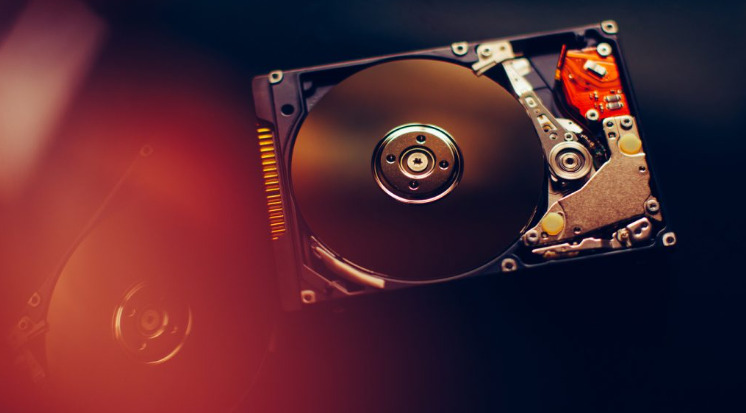
secure hardware destruction

Methods of Data Destruction

Deleting data by clicking the “delete” button is insufficient to ensure data security, especially if you’re handling classified material that could impact your business reputation.

In such cases, it’s worth taking a closer look at the methods you can use to get rid of old hard drives.

Here are some of the most effective ways to permanently erase data or render hidden data unrecoverable:

  1. Overwriting: This method involves using “disk-wiping” software to replace old data with new information, rendering the original data irrecoverable.
  2. Degaussing: Degaussing eliminates the magnetic field in a hard drive. This can be done in two ways: using powerful fixed magnets or employing an electromechanical pulse that emits a magnetic field. Both methods permanently destroy the data on the hard drive by damaging the servo control data and removing the startup files.
  3. Crushing: Physical destruction involves subjecting electronic equipment to extreme compression using a pointed steel punch. While this method is cost-effective for a limited number of drives, it leaves the data complete but nearly impossible to retrieve. It destroys the magnetic tracks that store information and pierces the hard drive, damaging the platter.
  4. Shredding: Hard drive shredding involves literally ripping and tearing hard drives into pieces, similar to paper shredders but much stronger. Some shredders can destroy up to 2,500 hard drives per hour. A hard drive destroyed through shredding is near impossible to recover.
  5. Disintegration: A disintegration machine slices hard drives into small particles using a conveyor system and a knife. This method is ideal for companies with highly classified information. It reduces the particles to sizes that cannot be reassembled.
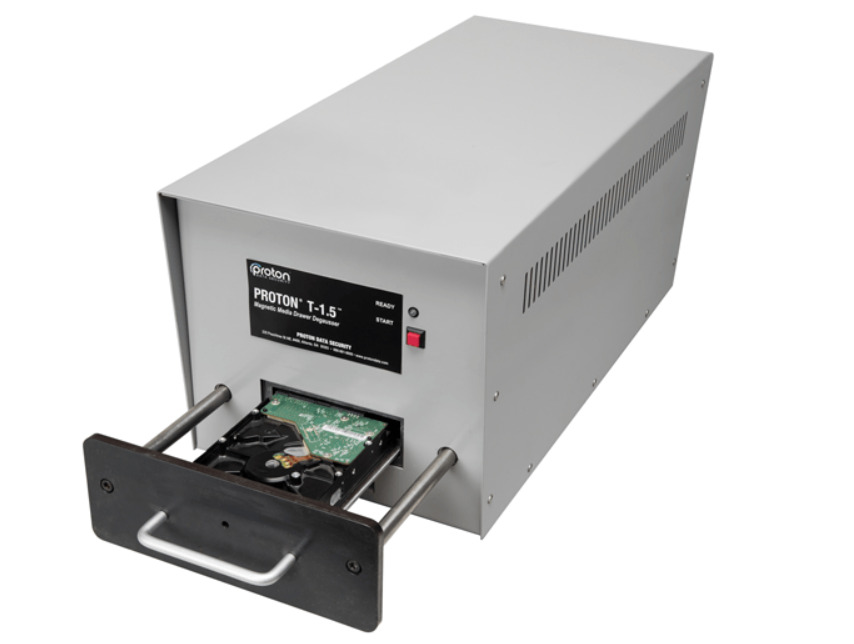
Guide to hardware destruction

The Outsourcing Option

Before delving into the options for outsourcing media destruction, it’s essential to understand the benefits of hard drive destruction.

  • Enhanced Data Security: After hard drive destruction, data and stored passwords are no longer accessible by any means, ensuring data protection from any dangerous parties.
  • Cost Savings: Hard drive destruction eliminates the need for storage arrays and maintenance, reducing associated costs.
  • Preventing Data Theft: Keeping hard drives stored can create opportunities for theft, making destruction a more secure choice.
  • Space and Cost Savings: The elimination of stored hard drives frees up space and reduces internal costs.
  • E-Waste Recycling: Destruction and scrapping electronics contributes to the recycling of e-waste, promoting environmental responsibility.
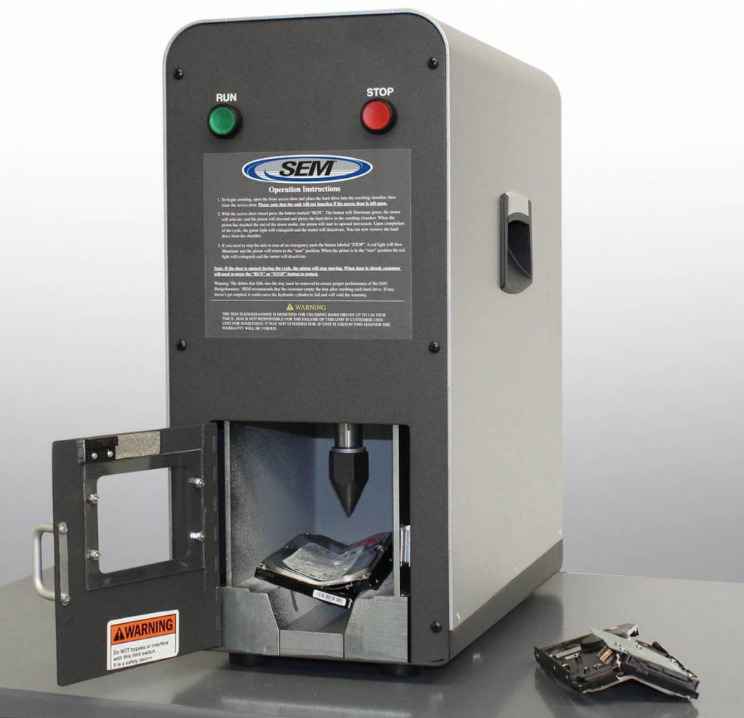
safe hardware destruction

Some companies choose to destroy hard drives on their premises to maintain control over sensitive and confidential data. However, this can be a cause of concern, as allowing hard drives to leave the premises may create anxiety and worry.

Outsourcing media destruction can be done on-site or off-site, depending on the company’s specific needs and capabilities.

Benefits of On-Site Media Destruction:

  • Control: On-site destruction is suitable for companies that want to maintain control over the entire process, particularly when handling highly sensitive data.

Benefits of Off-Site Hard Drive Destruction:

  • Space and Noise Considerations: Hard drive destruction can be noisy and disruptive, making off-site destruction a quieter and more efficient option.
  • Cost and Time Efficiency: For companies with occasional hard drive destruction needs, outsourcing to an off-site facility can be more cost-effective and less time-consuming.
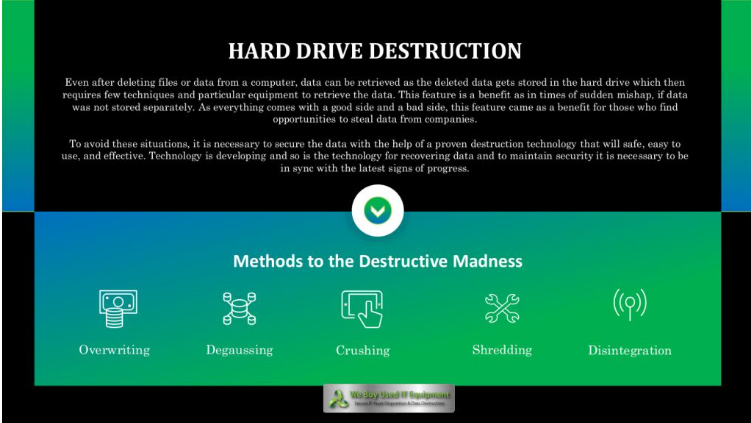
hard drive destruction

We Buy Used Hard Drives: Your Outsourcing Partner

We Buy Used Hard Drives offers a solution for outsourcing media destruction. With expertise in asset liquidation, they specialize in purchasing used hard drives, SSDs, servers, networking equipment, storage devices, memory, and processors. With over five decades of experience, We Buy Used Hard Drives upholds the highest data security standards.

Their reputation is impeccable, with thousands of transactions completed without a single security breach or data loss. We Buy Used Hard Drives and their parent company, We Buy Used IT Equipment, are committed to environmental responsibility and research ways to minimize the environmental impact of electronic waste.

Data security remains a top priority, but it can coexist seamlessly with recycling practices. Visit We Buy Used Hard Drives to explore how they can assist you in your data destruction needs.

Responsible Recycling Begins With We Buy Used Hard Drives

Data is both a valuable asset and a security risk in the digital age. Hard drive destruction is the final frontier in safeguarding data, ensuring that it remains beyond the reach of malicious actors. Whether through overwriting, degaussing, crushing, shredding, or disintegration, the objective is the same: permanent and irretrievable destruction.

Outsourcing media destruction, on-site or off-site, offers convenience and efficiency while prioritizing data security. We Buy Used Hard Drives provides a reliable and secure solution for outsourcing media destruction, ensuring data protection while contributing to responsible e-waste recycling.

Data security is an ongoing battle, and as long as sensitive information remains vulnerable, the need for hard drive destruction will persist. In this age of information, the true challenge is not just protecting data but also ensuring its responsible disposal.

Get a quote today!


Browse:
Home Data Destruction A Practical Guide to Hard Drive Destruction

Get A Quote

Fill our form here
PrevPreviousAre Used PC Parts Right for Your Enterprise IT Team?
NextBuying Used Servers: Smart Savings for Your Small BusinessNext
Picture of Kathy

Kathy

All Posts

Client
Testimonials

“The buyback program was easy for me to use. I simply sent WEBUY an email with the list of surplus items that I had. WEBUY replied back with a quoted value. I then shipped WBUY the tapes and quickly received payment. The process was very easy and I felt good that I wasn’t throwing the equipment into the landfill and someone else can make use of them.

I will do business with WBUY again.”

Bay Industries Inc.

“I have to say once I found you the process was relatively quick and straightforward. Your website provided great details and once I submitted my inventory within 24 hours I had a quote and confirmation of the dollar amount.

The entire process from shipment to check in hand was painless and quick, I will most definitely use this service again and have already recommended it to my other peers.”

Masons of California

Subscribe to our newsletter

Your inbox deserves better. Sign up for regular updates, insights, and deals!

  • Sorry, this service is unavailable in your country.

  • Should be Empty:
Visit Us
  • 9th St. Rancho Cucamonga, CA 91730
  • West Coast: (800) 700-7683
  • East Coast: (800) 821-1782
  • Local: (909) 466-7680
We Buy Used IT Equipment

Powered By DES

Facebook Instagram X-twitter Youtube Linkedin
BUY EQUIPMENT
  • Backup Tape
  • New Equipment
  • Refurbished Equipment
  • Warranty Info
  • Backup Tape
  • New Equipment
  • Refurbished Equipment
  • Warranty Info
SELL EQUIPMENT
  • Servers
  • Backup Tape
  • Removable Storage
  • Telecom & VOIP
  • Networking & Switches
  • Memory
  • CPUs and Processors
  • Laptops
  • Tape Drives
  • SFP Transceivers
  • Scrap Electronics
  • Servers
  • Backup Tape
  • Removable Storage
  • Telecom & VOIP
  • Networking & Switches
  • Memory
  • CPUs and Processors
  • Laptops
  • Tape Drives
  • SFP Transceivers
  • Scrap Electronics
SERVICES
  • IT Asset Disposition
  • Data Destruction
  • Data Center Services
  • Secure Shipping
  • Donate Your Assets
  • International Sales
  • Onsite Services
  • Electronics Recycle
  • IT Asset Disposition
  • Data Destruction
  • Data Center Services
  • Secure Shipping
  • Donate Your Assets
  • International Sales
  • Onsite Services
  • Electronics Recycle
STAY INFORMED
  • Blog
  • About Us
  • Contact Us
  • Our Process
  • FAQ
  • Sitemap
  • Blog
  • About Us
  • Contact Us
  • Our Process
  • FAQ
  • Sitemap

© 2026 All Rights Reserved. Website created with ❤ by mrrssy.

Accessibility Adjustments

Powered by OneTap

How long do you want to hide the toolbar?
Hide Toolbar Duration
Select your accessibility profile
Vision Impaired Mode
Enhances website's visuals
Seizure Safe Profile
Clear flashes & reduces color
ADHD Friendly Mode
Focused browsing, distraction-free
Blindness Mode
Reduces distractions, improves focus
Epilepsy Safe Mode
Dims colors and stops blinking
Content Modules
Font Size

Default

Line Height

Default

Color Modules
Orientation Modules