Skip to content
Facebook Instagram X-twitter Youtube Linkedin

West Coast: (800) 700-7683 — East Coast: (800) 821-1782 — 9033 9th St. Rancho Cucamonga, CA 91730

We Buy Used IT Equipment
Powered By DES
  • Sell Your Equipment
    • Servers
      • Cisco
      • Dell
      • IBM
      • HP
      • Lenovo
      • SuperMicro
    • Backup Tapes
      • LTO Tapes
        • LTO10
        • LTO9
        • LTO8
        • LTO7
        • LTO6
        • LTO5
        • LTO4
        • LTO3
        • LTO Cleaning Tape
      • 3592 Tapes
        • 3592 JK
        • 3592 JE
        • 3592 JD
        • 3592 JC
        • 3592 JB
        • 3592 JA
      • T10k T2 Tapes
      • MLR/SLR Tapes
        • IBM MLR1 SLR32
        • Imation SLR32
        • Sony SLR5
        • Tandberg SLR
        • MLR/SLR Cleaning Tape
      • 4mm Tapes
        • DDS7 – DAT320
        • DDS6 – DAT160
        • DDS5 – DAT72
        • DDS4 – DAT40
      • 8mm VXA Tapes
    • Data Storage
      • Hard Drives
        • HGST
        • Hitachi
        • HP
        • IBM
        • Kingston
        • Samsung
        • Seagate
        • Toshiba
        • Western Digital
      • Storage Arrays
    • Networking
      • Routers
      • Switches
    • VoIP and Telecom
    • Memory
      • Server Memory
      • Laptop Memory
      • Desktop Memory
      • DDR3
      • DDR4
      • DDR5
    • CPUs and Processors
      • Intel Core
      • Intel Xeon
      • AMD
    • Laptops
      • Apple
      • Asus
      • Dell
      • HP
      • IBM Lenovo
      • Samsung
      • Toshiba
    • Tape Drives and Libraries
    • SFP Transceivers
      • Cisco SFP Transceivers
      • HPE SFP Transceivers
    • Scrap Electronics
    • Submit Your List
  • Services
    • Secure IT Asset Disposition
      • Secure Shipping
    • Data Center Services
      • Takeouts
      • Relocation
      • Liquidation
      • Other On-Site Services
    • Data Destruction
      • Data Destruction Compliance
        • Certificate of Data Destruction
        • Physical Data Destruction
        • Permanent Data Erasure
        • Magnetic Degaussing
      • Data Tape Erasure
      • Hard Drive Disposition
        • Hard Drive Sanitization
    • Electronics Recycling
    • Global Advantage Partner
    • Donate to Charity
  • Buy Equipment
    • Backup Tape
    • Data Center Equipment
    • New Equipment
    • Refurbished Equipment
      • Refurbished Servers
    • Warranty Information
  • Lifecycle & Sustainability
    • Lifecycle Services
      • Secure IT Asset Disposition
      • Electronics Recycling
      • Donate IT Equipment to Charity
      • Our ITAD Process
      • Secure Equipment Shipping
    • Resources
      • IT Equipment Recycling
      • E Waste Recycling
      • IT Asset Disposition Guide
      • Data Center Decommissioning
      • Comprehensive Guide to ITAD
      • Guide to Donating IT Equipment to Charity
  • Blog
  • About Us
    • Contact Us
    • Our Processes
    • ITAD White Paper
    • Newsletter
    • References
    • Privacy Policy
    • FAQ
    • Sitemap
  • Get A Quote
  • Sell Your Equipment
    • Servers
      • Cisco
      • Dell
      • IBM
      • HP
      • Lenovo
      • SuperMicro
    • Backup Tapes
      • LTO Tapes
        • LTO10
        • LTO9
        • LTO8
        • LTO7
        • LTO6
        • LTO5
        • LTO4
        • LTO3
        • LTO Cleaning Tape
      • 3592 Tapes
        • 3592 JK
        • 3592 JE
        • 3592 JD
        • 3592 JC
        • 3592 JB
        • 3592 JA
      • T10k T2 Tapes
      • MLR/SLR Tapes
        • IBM MLR1 SLR32
        • Imation SLR32
        • Sony SLR5
        • Tandberg SLR
        • MLR/SLR Cleaning Tape
      • 4mm Tapes
        • DDS7 – DAT320
        • DDS6 – DAT160
        • DDS5 – DAT72
        • DDS4 – DAT40
      • 8mm VXA Tapes
    • Data Storage
      • Hard Drives
        • HGST
        • Hitachi
        • HP
        • IBM
        • Kingston
        • Samsung
        • Seagate
        • Toshiba
        • Western Digital
      • Storage Arrays
    • Networking
      • Routers
      • Switches
    • VoIP and Telecom
    • Memory
      • Server Memory
      • Laptop Memory
      • Desktop Memory
      • DDR3
      • DDR4
      • DDR5
    • CPUs and Processors
      • Intel Core
      • Intel Xeon
      • AMD
    • Laptops
      • Apple
      • Asus
      • Dell
      • HP
      • IBM Lenovo
      • Samsung
      • Toshiba
    • Tape Drives and Libraries
    • SFP Transceivers
      • Cisco SFP Transceivers
      • HPE SFP Transceivers
    • Scrap Electronics
    • Submit Your List
  • Services
    • Secure IT Asset Disposition
      • Secure Shipping
    • Data Center Services
      • Takeouts
      • Relocation
      • Liquidation
      • Other On-Site Services
    • Data Destruction
      • Data Destruction Compliance
        • Certificate of Data Destruction
        • Physical Data Destruction
        • Permanent Data Erasure
        • Magnetic Degaussing
      • Data Tape Erasure
      • Hard Drive Disposition
        • Hard Drive Sanitization
    • Electronics Recycling
    • Global Advantage Partner
    • Donate to Charity
  • Buy Equipment
    • Backup Tape
    • Data Center Equipment
    • New Equipment
    • Refurbished Equipment
      • Refurbished Servers
    • Warranty Information
  • Lifecycle & Sustainability
    • Lifecycle Services
      • Secure IT Asset Disposition
      • Electronics Recycling
      • Donate IT Equipment to Charity
      • Our ITAD Process
      • Secure Equipment Shipping
    • Resources
      • IT Equipment Recycling
      • E Waste Recycling
      • IT Asset Disposition Guide
      • Data Center Decommissioning
      • Comprehensive Guide to ITAD
      • Guide to Donating IT Equipment to Charity
  • Blog
  • About Us
    • Contact Us
    • Our Processes
    • ITAD White Paper
    • Newsletter
    • References
    • Privacy Policy
    • FAQ
    • Sitemap
  • Get A Quote

WHAT TO KEEP IN MIND WHILE DROPPING OFF E-WASTE

ewaste
  • Alex
  • April 15, 2022
  • 1:33 pm
Browse:
Home ewaste WHAT TO KEEP IN MIND WHILE DROPPING OFF E-WASTE

This article will take a look at the various things to keep in mind when dropping off e-waste, from following eco-friendly guidelines to saving your own time and energy. Follow these tips and you’ll be creating a better world for generations to come!

E-waste is a growing problem throughout the world. We use so many resources for a fleeting fraction of our lifespan, causing tons of electronic waste to pile up every year. Even though many people do their part and recycle when they can, sometimes it’s more convenient to just drop off your waste at a depot the next time you’re out and about in town.

The benefits of recycling e-waste

There are many reasons to dispose of your e-waste responsibly. Disposing of it in a landfill could cause it to leach toxic chemicals into the ground and atmosphere. Landfill operators might also take old printers, computers, and TVs apart to recover their materials like steel, copper, aluminum, plastic, and other materials that they can reuse or recycle. Other e-waste could sit in a landfill for up to 250 years before it is taken apart if there are recyclers or places with environmentally remediated landfill units. You must ask your recycler where they recycle the materials from your unwanted electronics or make sure you’re recycling them somewhere with proper protections in place like a facility with high-temperature incinerators or recyclers that use environmentally responsible recycling processes. According to the EPA, common chemicals found in televisions, computers, and monitors include mercury, lead, cadmium, and arsenic.

The benefits of recycling e-waste include reducing the amount of long-lasting pollution, preventing the ground and water from being contaminated, and saving resources such as energy and fresh water. The only negative is the excess energy needed to rebuild an old device into a new one.

There are many benefits associated with recycling. The most important advantage of this activity is the fact that it prevents our natural resources from being naturally contaminated, by holding them back from landfills and turning them into resources instead.

Converting any electronic device into a new product saves resources, energy, and money. The metals and plastics in many e-waste items can be reprocessed and reused to make things like appliances, utensils, smartphones, gutter pipes, or pencil barrels. Also, visit e-waste sectors where used cell phones are collected and recycled.

https://youtu.be/LaKNz5lSHf8

How to find a reputable recycler?

E-waste has been a growing environmental problem, generating 91.2 million tons in 2014.  We generate most e-waste through cellphones and laptops while others are generated from TVs, home appliances, and other households’ electronic equipment as well as printers. There are many reputable organizations to which you can donate your e-waste.

When it comes time to recycle or scrap old electronics we need to find a reputable company that is interested in helping. A good place to start is through e-Stewards, one of the largest certification programs designed to monitor and regulate the recycling process. You can ask your local hardware store if they have partnered with any program like this and can provide easy drop-off service.

You certainly want to make sure your e-waste will be recycled in a safe and environmentally responsible way. If you are unsure how to find a reputable recycler, one of the best ways is to ask the business if they work with any local partnerships. This ensures that everything from electronics, televisions, paper, plastics, etc. is handled responsibly.
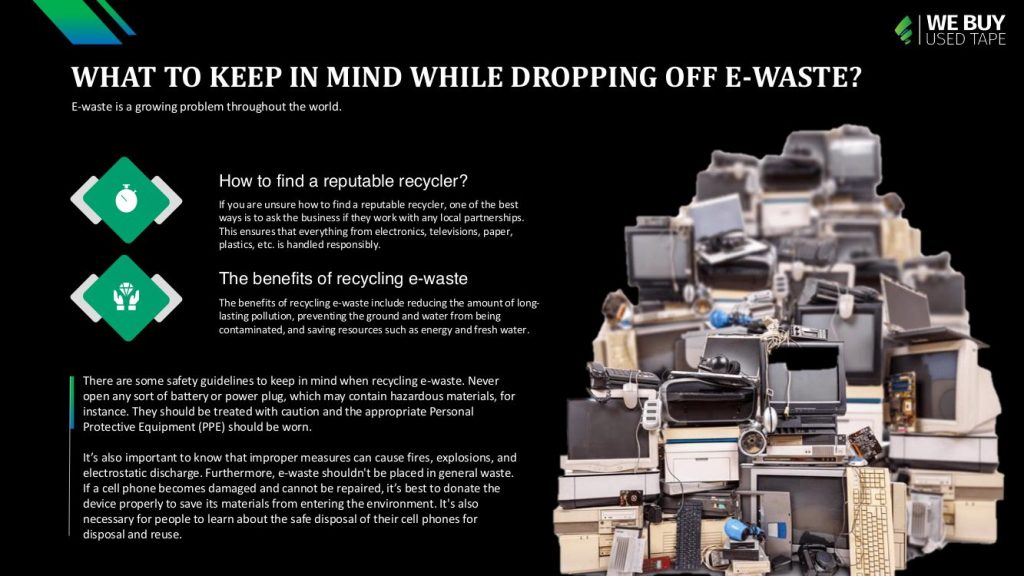
What you need to know before dropping off e-waste

Be sure to get a quote from the company before you arrive at the drop-off location. Certain organizations offer credits for e-waste. You should also be prepared to transport your electronics by yourself to the designated location for recycling.  Also, before dropping your e-waste off, turn over each device and look for special information. Companies may not accept certain electronics if they don’t have a recycling label or if they are damaged.

If items are missing their label it is okay to take them, just check with the company on their policies before dropping them off.

Following these steps is a small way to lessen your carbon footprint and help the environment. Be aware that our habits are causing more pollution and raising more plastic and metal as we continue to use and buy electronics. Each individual can make a small difference in preserving our environment through simple recycling efforts such as cell phone recycling, computer recycling, plasma TV disposal, CRT monitors disposal, or any other e-waste recycling.

If you’re planning to go waste your electronics, don’t forget to turn off the device and take out any removable components like SD cards or batteries. Electronics will also have a recycling logo on them.

You can drop off your old e-waste at designated locations and businesses. You should also ask for a free quote for information about what needs to be done with your electronics if the price differs from the one provided by the recycling facility. Do not leave any accessories attached to computers, TVs, or laptops before bringing them to an e-waste recycler. Finally, if you’re business produces more than 4,200 pounds of hazardous waste daily, then you need a specially designed container so that hazardous materials are minimized.

This can only be done if the material will not be handled carelessly and there is an existing recycling plant. It might not be a bad idea to check if your municipality offers specialized on-site plants to remove and recycle such waste.

https://youtu.be/g0l51CNoI60

Safety guidelines while recycling e-waste

Always remove batteries and store them in a metal box with an acid-proof, sealed lid. This will minimize toxic leaks. If you are unable to dispose of the battery, call your local recycling company or take them to an appropriate collection point.

E-waste contains toxins that can both be harmful to human health and the environment. Recycling e-waste presents many environmental consequences and is not a perfect solution. To minimize the environmental effects, people should only use recyclable products as much as possible, dispose of electronic waste in a recycling bin, and drop off e-waste at designated facilities instead of through unreliable channels such as dumpsters or shopping carts. In addition to traditional recycling, some workplaces and businesses initiate the removal of e-waste batteries to help improve process efficiency. These areas usually contain various chemicals that are harmful to the environment. According to the Centers for Disease Control (CDC) in Atlanta, e-waste can overload landfills and produce toxic chemicals such as mercury, lead, and cadmium. If these materials are released into soil or groundwater pollution, it could cause irreversible neurological disorders or kidney damage.

Recycling e-waste is a very important task. It’s easy to forget the necessary safety constraints and practices such as switching off power, unplugging cables, and removing any disks or other components.

There are some safety guidelines to keep in mind when recycling e-waste. Never open any sort of battery or power plug, which may contain hazardous materials, for instance. They should be treated with caution and the appropriate Personal Protective Equipment (PPE) should be worn. It’s also important to know that improper measures can cause fires, explosions, and electrostatic discharge. Furthermore, e-waste shouldn’t be placed in general waste. If a cell phone becomes damaged and cannot be repaired, it’s best to donate the device properly to save its materials from entering the environment. It’s also necessary for people to learn about the safe disposal of their cell phones for disposal and reuse.

Browse:
Home ewaste WHAT TO KEEP IN MIND WHILE DROPPING OFF E-WASTE

Get A Quote

Phoenix Certified
Fill our form here
PrevPreviousHow to Dispose of Your Mobile eWaste
NextHOW TO HANDLE TOXIC E-WASTE SAFELYNext
Picture of Alex

Alex

Expertise With over 15 years of experience in marketing and business development, Alex is a seasoned strategist in digital marketing, content creation, and brand growth, Ge has grown as a trusted voice in the technology and business sectors over the past decade. Education Alex holds a Master’s degree in Entrepreneurship and dual Bachelor’s degrees in Marketing and Entrepreneurial Management from California State University - San Bernardino. Experience Alex has led high-impact initiatives that have driven significant revenue growth, brand expansion, and customer engagement. His work includes managing e-commerce operations, optimizing digital advertising strategies, and developing content that educates and informs professionals about technology and business trends. Outside of Work Beyond his professional endeavors, Alex enjoys staying active and spending quality time with family.
All Posts

Client
Testimonials

“The buyback program was easy for me to use. I simply sent WEBUY an email with the list of surplus items that I had. WEBUY replied back with a quoted value. I then shipped WBUY the tapes and quickly received payment. The process was very easy and I felt good that I wasn’t throwing the equipment into the landfill and someone else can make use of them.

I will do business with WBUY again.”

Bay Industries Inc.

“I have to say once I found you the process was relatively quick and straightforward. Your website provided great details and once I submitted my inventory within 24 hours I had a quote and confirmation of the dollar amount.

The entire process from shipment to check in hand was painless and quick, I will most definitely use this service again and have already recommended it to my other peers.”

Masons of California

Subscribe to our newsletter

Your inbox deserves better. Sign up for regular updates, insights, and deals!

  • Sorry, this service is unavailable in your country.

  • Should be Empty:
Visit Us
  • 9th St. Rancho Cucamonga, CA 91730
  • West Coast: (800) 700-7683
  • East Coast: (800) 821-1782
  • Local: (909) 466-7680
We Buy Used IT Equipment

Powered By DES

Facebook Instagram X-twitter Youtube Linkedin
BUY EQUIPMENT
  • Backup Tape
  • New Equipment
  • Refurbished Equipment
  • Warranty Info
  • Backup Tape
  • New Equipment
  • Refurbished Equipment
  • Warranty Info
SELL EQUIPMENT
  • Servers
  • Backup Tape
  • Removable Storage
  • Telecom & VOIP
  • Networking & Switches
  • Memory
  • CPUs and Processors
  • Laptops
  • Tape Drives
  • SFP Transceivers
  • Scrap Electronics
  • Servers
  • Backup Tape
  • Removable Storage
  • Telecom & VOIP
  • Networking & Switches
  • Memory
  • CPUs and Processors
  • Laptops
  • Tape Drives
  • SFP Transceivers
  • Scrap Electronics
SERVICES
  • IT Asset Disposition
  • Data Destruction
  • Data Center Services
  • Secure Shipping
  • Donate Your Assets
  • International Sales
  • Onsite Services
  • Electronics Recycle
  • IT Asset Disposition
  • Data Destruction
  • Data Center Services
  • Secure Shipping
  • Donate Your Assets
  • International Sales
  • Onsite Services
  • Electronics Recycle
STAY INFORMED
  • Blog
  • About Us
  • Contact Us
  • Our Process
  • FAQ
  • Sitemap
  • Blog
  • About Us
  • Contact Us
  • Our Process
  • FAQ
  • Sitemap

© 2026 All Rights Reserved. Website created with ❤ by mrrssy.

Accessibility Adjustments

Powered by OneTap

How long do you want to hide the toolbar?
Hide Toolbar Duration
Select your accessibility profile
Vision Impaired Mode
Enhances website's visuals
Seizure Safe Profile
Clear flashes & reduces color
ADHD Friendly Mode
Focused browsing, distraction-free
Blindness Mode
Reduces distractions, improves focus
Epilepsy Safe Mode
Dims colors and stops blinking
Content Modules
Font Size

Default

Line Height

Default

Color Modules
Orientation Modules