Skip to content
Facebook Instagram X-twitter Youtube Linkedin

West Coast: (800) 700-7683 — East Coast: (800) 821-1782 — 9033 9th St. Rancho Cucamonga, CA 91730

We Buy Used IT Equipment
Powered By DES
  • Sell Your Equipment
    • Servers
      • Cisco
      • Dell
      • IBM
      • HP
      • Lenovo
      • SuperMicro
    • Backup Tapes
      • LTO Tapes
        • LTO10
        • LTO9
        • LTO8
        • LTO7
        • LTO6
        • LTO5
        • LTO4
        • LTO3
        • LTO Cleaning Tape
      • 3592 Tapes
        • 3592 JK
        • 3592 JE
        • 3592 JD
        • 3592 JC
        • 3592 JB
        • 3592 JA
      • T10k T2 Tapes
      • MLR/SLR Tapes
        • IBM MLR1 SLR32
        • Imation SLR32
        • Sony SLR5
        • Tandberg SLR
        • MLR/SLR Cleaning Tape
      • 4mm Tapes
        • DDS7 – DAT320
        • DDS6 – DAT160
        • DDS5 – DAT72
        • DDS4 – DAT40
      • 8mm VXA Tapes
    • Data Storage
      • Hard Drives
        • HGST
        • Hitachi
        • HP
        • IBM
        • Kingston
        • Samsung
        • Seagate
        • Toshiba
        • Western Digital
      • Storage Arrays
    • Networking
      • Routers
      • Switches
    • VoIP and Telecom
    • Memory
      • Server Memory
      • Laptop Memory
      • Desktop Memory
      • DDR3
      • DDR4
      • DDR5
    • CPUs and Processors
      • Intel Core
      • Intel Xeon
      • AMD
    • Laptops
      • Apple
      • Asus
      • Dell
      • HP
      • IBM Lenovo
      • Samsung
      • Toshiba
    • Tape Drives and Libraries
    • SFP Transceivers
      • Cisco SFP Transceivers
      • HPE SFP Transceivers
    • Scrap Electronics
    • Submit Your List
  • Services
    • Secure IT Asset Disposition
      • Secure Shipping
    • Data Center Services
      • Takeouts
      • Relocation
      • Liquidation
      • Other On-Site Services
    • Data Destruction
      • Data Destruction Compliance
        • Certificate of Data Destruction
        • Physical Data Destruction
        • Permanent Data Erasure
        • Magnetic Degaussing
      • Data Tape Erasure
      • Hard Drive Disposition
        • Hard Drive Sanitization
    • Electronics Recycling
    • Global Advantage Partner
    • Donate to Charity
  • Buy Equipment
    • Backup Tape
    • Data Center Equipment
    • New Equipment
    • Refurbished Equipment
      • Refurbished Servers
    • Warranty Information
  • Lifecycle & Sustainability
    • Lifecycle Services
      • Secure IT Asset Disposition
      • Electronics Recycling
      • Donate IT Equipment to Charity
      • Our ITAD Process
      • Secure Equipment Shipping
    • Resources
      • IT Equipment Recycling
      • E Waste Recycling
      • IT Asset Disposition Guide
      • Data Center Decommissioning
      • Comprehensive Guide to ITAD
      • Guide to Donating IT Equipment to Charity
  • Blog
  • About Us
    • Contact Us
    • Our Processes
    • ITAD White Paper
    • Newsletter
    • References
    • Privacy Policy
    • FAQ
    • Sitemap
  • Get A Quote
  • Sell Your Equipment
    • Servers
      • Cisco
      • Dell
      • IBM
      • HP
      • Lenovo
      • SuperMicro
    • Backup Tapes
      • LTO Tapes
        • LTO10
        • LTO9
        • LTO8
        • LTO7
        • LTO6
        • LTO5
        • LTO4
        • LTO3
        • LTO Cleaning Tape
      • 3592 Tapes
        • 3592 JK
        • 3592 JE
        • 3592 JD
        • 3592 JC
        • 3592 JB
        • 3592 JA
      • T10k T2 Tapes
      • MLR/SLR Tapes
        • IBM MLR1 SLR32
        • Imation SLR32
        • Sony SLR5
        • Tandberg SLR
        • MLR/SLR Cleaning Tape
      • 4mm Tapes
        • DDS7 – DAT320
        • DDS6 – DAT160
        • DDS5 – DAT72
        • DDS4 – DAT40
      • 8mm VXA Tapes
    • Data Storage
      • Hard Drives
        • HGST
        • Hitachi
        • HP
        • IBM
        • Kingston
        • Samsung
        • Seagate
        • Toshiba
        • Western Digital
      • Storage Arrays
    • Networking
      • Routers
      • Switches
    • VoIP and Telecom
    • Memory
      • Server Memory
      • Laptop Memory
      • Desktop Memory
      • DDR3
      • DDR4
      • DDR5
    • CPUs and Processors
      • Intel Core
      • Intel Xeon
      • AMD
    • Laptops
      • Apple
      • Asus
      • Dell
      • HP
      • IBM Lenovo
      • Samsung
      • Toshiba
    • Tape Drives and Libraries
    • SFP Transceivers
      • Cisco SFP Transceivers
      • HPE SFP Transceivers
    • Scrap Electronics
    • Submit Your List
  • Services
    • Secure IT Asset Disposition
      • Secure Shipping
    • Data Center Services
      • Takeouts
      • Relocation
      • Liquidation
      • Other On-Site Services
    • Data Destruction
      • Data Destruction Compliance
        • Certificate of Data Destruction
        • Physical Data Destruction
        • Permanent Data Erasure
        • Magnetic Degaussing
      • Data Tape Erasure
      • Hard Drive Disposition
        • Hard Drive Sanitization
    • Electronics Recycling
    • Global Advantage Partner
    • Donate to Charity
  • Buy Equipment
    • Backup Tape
    • Data Center Equipment
    • New Equipment
    • Refurbished Equipment
      • Refurbished Servers
    • Warranty Information
  • Lifecycle & Sustainability
    • Lifecycle Services
      • Secure IT Asset Disposition
      • Electronics Recycling
      • Donate IT Equipment to Charity
      • Our ITAD Process
      • Secure Equipment Shipping
    • Resources
      • IT Equipment Recycling
      • E Waste Recycling
      • IT Asset Disposition Guide
      • Data Center Decommissioning
      • Comprehensive Guide to ITAD
      • Guide to Donating IT Equipment to Charity
  • Blog
  • About Us
    • Contact Us
    • Our Processes
    • ITAD White Paper
    • Newsletter
    • References
    • Privacy Policy
    • FAQ
    • Sitemap
  • Get A Quote

Your Complete Guide to Server RAM

Memory, Servers
  • Alex
  • November 5, 2023
  • 7:37 pm
Browse:
Home Memory Your Complete Guide to Server RAM

When it comes to server systems, the role of server memory is often overlooked despite its significance. The proper functioning of server memory is crucial as any glitch or malfunction could cause severe disruptions, such as system freezes or the dreaded blue screen, resulting in considerable damage to businesses. Without the critical hardware like server RAM or ECC memory, the system might not even boot. Understanding the fundamentals of server memory is essential for anyone dealing with these systems.

Understanding Server Memory

RAM’s Function in Servers:
Random Access Memory (RAM) in servers is vital for quick data access between hard disk drives or solid-state drives and the CPU. It’s essential to grasp that server RAM is volatile and doesn’t store data permanently; its data retention relies on a power source.

RAM vs. Storage Memory:
Although not a permanent storage solution, RAM offers significantly faster read and write speeds compared to storage memory. The CPU can access server RAM directly, bypassing the need to retrieve data or instructions from the hard drive. Moreover, RAM generates less heat and is more durable over time.

Importance of RAM Capacity:
The capacity of RAM plays a crucial role in system performance. Insufficient server memory can cause bottlenecks and hinder the efficiency of the server system. Upgrading RAM can boost a server’s capacity to run more Virtual Machines (VMs) and can enhance memory speed and bandwidth for faster data processing.

Click Below to Sell Server Memory
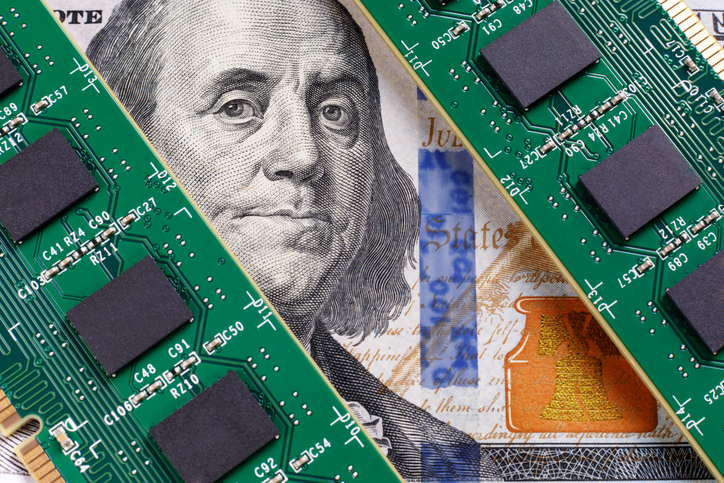
Types of Server Memory

Buffered RAM

Purpose of Buffered Memory:
Buffered memory, also known as registered memory, reduces electrical load on the server memory controller and is typically used in high-end systems requiring a stable operating environment.

Types of Buffered RAM:

RDIMM (Registered DIMM): It contains registers on the DIMM to buffer command signals between DRAMs and the memory controller. This allows the use of up to three dual-rank DIMMs per memory channel, increasing the server’s memory support.

LRDIMM (Load Reduced DIMM): It offers larger overall maximum memory capacities and lowers latency compared to RDIMM, using memory buffers to integrate electrical loads on the ranks of the LRDIMMs into a single electrical load.

FBDIMM (Fully Buffered DIMM): An older version, aimed at improving speed, stability, and compatibility, it reduces the load on the memory bus by the memory modules.

Unbuffered RAM

Characteristics of Unbuffered Memory:
In unbuffered memory, the CPU directly accesses the memory controller without an intervening register between the DRAM modules and memory controller.

Typical Uses:
Unbuffered RAM, due to its relatively lower price, is commonly utilized in desktops and laptops. However, it might be less stable for systems and stored data.
Technologies in Server Memory

ECC Memory (Error Checking and Correcting)

Function of ECC Technology:
ECC is an error correction technique that not only identifies errors but also corrects them. In comparison to Parity, a common error-checking technology, ECC contributes significantly to the stability and reliability of server systems.

Register

Role of Register in Server Memory:
Registers function as directories for server memory, enhancing read and write operations. The use of register memory, equipped with ECC technology, often termed ECC Registered memory, bolsters system efficiency.

Chipkill Memory Technology

Advantages of Chipkill Technology:
Chipkill technology writes data to multiple DIMM memory chips, ensuring that if any one of the chips fails, only a certain bit of a data byte is affected. This approach significantly reduces the probability of system crashes and improves server usability.

Advanced Server Memory Strategies

Memory Mirroring

Functionality of Memory Mirroring:
Memory mirroring involves splitting server memory into two independent channels for redundancy. In case of a channel failure, the memory controller immediately switches to the alternative channel, enhancing memory reliability and protecting against errors.

Memory Protection

Objective of Memory Protection:
Memory protection restricts memory access rights to prevent unauthorized applications from exploiting memory. This technology helps in data retrieval when a DIMM fails, ensuring smoother server operation and correcting up to 4 consecutive bit errors.

Choosing the Best Server Memory

Factors for Choosing Server Memory:
Selecting the ideal server memory entails considering various components and their compatibility with other elements like the server CPU, motherboard, and server storage.

Importance of Proper Server Memory:
For dedicated server usage, having sufficient server RAM is critical to manage system loads effectively. FS offers diverse server memory options, allowing users to purchase or customize servers to match their project requirements seamlessly.

In Conclusion

The Crucial Role of Server Memory:
Upgrading server RAM significantly enhances a server system’s stability and efficiency. Understanding the intricacies of buffered and unbuffered memory types and the impact of ECC, register, and Chipkill technologies is fundamental for proficient server system management or setup.

Browse:
Home Memory Your Complete Guide to Server RAM

Get A Quote

Fill our form here
PrevPreviousEmbracing the Digital Age: Celebrating National Internet Day
NextWhich memory types are most commonly found in servers?Next
Picture of Alex

Alex

Expertise With over 15 years of experience in marketing and business development, Alex is a seasoned strategist in digital marketing, content creation, and brand growth, Ge has grown as a trusted voice in the technology and business sectors over the past decade. Education Alex holds a Master’s degree in Entrepreneurship and dual Bachelor’s degrees in Marketing and Entrepreneurial Management from California State University - San Bernardino. Experience Alex has led high-impact initiatives that have driven significant revenue growth, brand expansion, and customer engagement. His work includes managing e-commerce operations, optimizing digital advertising strategies, and developing content that educates and informs professionals about technology and business trends. Outside of Work Beyond his professional endeavors, Alex enjoys staying active and spending quality time with family.
All Posts

Client
Testimonials

“The buyback program was easy for me to use. I simply sent WEBUY an email with the list of surplus items that I had. WEBUY replied back with a quoted value. I then shipped WBUY the tapes and quickly received payment. The process was very easy and I felt good that I wasn’t throwing the equipment into the landfill and someone else can make use of them.

I will do business with WBUY again.”

Bay Industries Inc.

“I have to say once I found you the process was relatively quick and straightforward. Your website provided great details and once I submitted my inventory within 24 hours I had a quote and confirmation of the dollar amount.

The entire process from shipment to check in hand was painless and quick, I will most definitely use this service again and have already recommended it to my other peers.”

Masons of California

Subscribe to our newsletter

Your inbox deserves better. Sign up for regular updates, insights, and deals!

  • Sorry, this service is unavailable in your country.

  • Should be Empty:
Visit Us
  • 9th St. Rancho Cucamonga, CA 91730
  • West Coast: (800) 700-7683
  • East Coast: (800) 821-1782
  • Local: (909) 466-7680
We Buy Used IT Equipment

Powered By DES

Facebook Instagram X-twitter Youtube Linkedin
BUY EQUIPMENT
  • Backup Tape
  • New Equipment
  • Refurbished Equipment
  • Warranty Info
  • Backup Tape
  • New Equipment
  • Refurbished Equipment
  • Warranty Info
SELL EQUIPMENT
  • Servers
  • Backup Tape
  • Removable Storage
  • Telecom & VOIP
  • Networking & Switches
  • Memory
  • CPUs and Processors
  • Laptops
  • Tape Drives
  • SFP Transceivers
  • Scrap Electronics
  • Servers
  • Backup Tape
  • Removable Storage
  • Telecom & VOIP
  • Networking & Switches
  • Memory
  • CPUs and Processors
  • Laptops
  • Tape Drives
  • SFP Transceivers
  • Scrap Electronics
SERVICES
  • IT Asset Disposition
  • Data Destruction
  • Data Center Services
  • Secure Shipping
  • Donate Your Assets
  • International Sales
  • Onsite Services
  • Electronics Recycle
  • IT Asset Disposition
  • Data Destruction
  • Data Center Services
  • Secure Shipping
  • Donate Your Assets
  • International Sales
  • Onsite Services
  • Electronics Recycle
STAY INFORMED
  • Blog
  • About Us
  • Contact Us
  • Our Process
  • FAQ
  • Sitemap
  • Blog
  • About Us
  • Contact Us
  • Our Process
  • FAQ
  • Sitemap

© 2026 All Rights Reserved. Website created with ❤ by mrrssy.

Accessibility Adjustments

Powered by OneTap

How long do you want to hide the toolbar?
Hide Toolbar Duration
Select your accessibility profile
Vision Impaired Mode
Enhances website's visuals
Seizure Safe Profile
Clear flashes & reduces color
ADHD Friendly Mode
Focused browsing, distraction-free
Blindness Mode
Reduces distractions, improves focus
Epilepsy Safe Mode
Dims colors and stops blinking
Content Modules
Font Size

Default

Line Height

Default

Color Modules
Orientation Modules