Skip to content
Facebook Instagram X-twitter Youtube Linkedin

West Coast: (800) 700-7683 — East Coast: (800) 821-1782 — 9033 9th St. Rancho Cucamonga, CA 91730

We Buy Used IT Equipment
Powered By DES
  • Sell Your Equipment
    • Servers
      • Cisco
      • Dell
      • IBM
      • HP
      • Lenovo
      • SuperMicro
    • Backup Tapes
      • LTO Tapes
        • LTO10
        • LTO9
        • LTO8
        • LTO7
        • LTO6
        • LTO5
        • LTO4
        • LTO3
        • LTO Cleaning Tape
      • 3592 Tapes
        • 3592 JK
        • 3592 JE
        • 3592 JD
        • 3592 JC
        • 3592 JB
        • 3592 JA
      • T10k T2 Tapes
      • MLR/SLR Tapes
        • IBM MLR1 SLR32
        • Imation SLR32
        • Sony SLR5
        • Tandberg SLR
        • MLR/SLR Cleaning Tape
      • 4mm Tapes
        • DDS7 – DAT320
        • DDS6 – DAT160
        • DDS5 – DAT72
        • DDS4 – DAT40
      • 8mm VXA Tapes
    • Data Storage
      • Hard Drives
        • HGST
        • Hitachi
        • HP
        • IBM
        • Kingston
        • Samsung
        • Seagate
        • Toshiba
        • Western Digital
      • Storage Arrays
    • Networking
      • Routers
      • Switches
    • VoIP and Telecom
    • Memory
      • Server Memory
      • Laptop Memory
      • Desktop Memory
      • DDR3
      • DDR4
      • DDR5
    • CPUs and Processors
      • Intel Core
      • Intel Xeon
      • AMD
    • Laptops
      • Apple
      • Asus
      • Dell
      • HP
      • IBM Lenovo
      • Samsung
      • Toshiba
    • Tape Drives and Libraries
    • SFP Transceivers
      • Cisco SFP Transceivers
      • HPE SFP Transceivers
    • Scrap Electronics
    • Submit Your List
  • Services
    • Secure IT Asset Disposition
      • Secure Shipping
    • Data Center Services
      • Takeouts
      • Relocation
      • Liquidation
      • Other On-Site Services
    • Data Destruction
      • Data Destruction Compliance
        • Certificate of Data Destruction
        • Physical Data Destruction
        • Permanent Data Erasure
        • Magnetic Degaussing
      • Data Tape Erasure
      • Hard Drive Disposition
        • Hard Drive Sanitization
    • Electronics Recycling
    • Global Advantage Partner
    • Donate to Charity
  • Buy Equipment
    • Backup Tape
    • Data Center Equipment
    • New Equipment
    • Refurbished Equipment
      • Refurbished Servers
    • Warranty Information
  • Lifecycle & Sustainability
    • Lifecycle Services
      • Secure IT Asset Disposition
      • Electronics Recycling
      • Donate IT Equipment to Charity
      • Our ITAD Process
      • Secure Equipment Shipping
    • Resources
      • IT Equipment Recycling
      • E Waste Recycling
      • IT Asset Disposition Guide
      • Data Center Decommissioning
      • Comprehensive Guide to ITAD
      • Guide to Donating IT Equipment to Charity
  • Blog
  • About Us
    • Contact Us
    • Our Processes
    • ITAD White Paper
    • Newsletter
    • References
    • Privacy Policy
    • FAQ
    • Sitemap
  • Get A Quote
  • Sell Your Equipment
    • Servers
      • Cisco
      • Dell
      • IBM
      • HP
      • Lenovo
      • SuperMicro
    • Backup Tapes
      • LTO Tapes
        • LTO10
        • LTO9
        • LTO8
        • LTO7
        • LTO6
        • LTO5
        • LTO4
        • LTO3
        • LTO Cleaning Tape
      • 3592 Tapes
        • 3592 JK
        • 3592 JE
        • 3592 JD
        • 3592 JC
        • 3592 JB
        • 3592 JA
      • T10k T2 Tapes
      • MLR/SLR Tapes
        • IBM MLR1 SLR32
        • Imation SLR32
        • Sony SLR5
        • Tandberg SLR
        • MLR/SLR Cleaning Tape
      • 4mm Tapes
        • DDS7 – DAT320
        • DDS6 – DAT160
        • DDS5 – DAT72
        • DDS4 – DAT40
      • 8mm VXA Tapes
    • Data Storage
      • Hard Drives
        • HGST
        • Hitachi
        • HP
        • IBM
        • Kingston
        • Samsung
        • Seagate
        • Toshiba
        • Western Digital
      • Storage Arrays
    • Networking
      • Routers
      • Switches
    • VoIP and Telecom
    • Memory
      • Server Memory
      • Laptop Memory
      • Desktop Memory
      • DDR3
      • DDR4
      • DDR5
    • CPUs and Processors
      • Intel Core
      • Intel Xeon
      • AMD
    • Laptops
      • Apple
      • Asus
      • Dell
      • HP
      • IBM Lenovo
      • Samsung
      • Toshiba
    • Tape Drives and Libraries
    • SFP Transceivers
      • Cisco SFP Transceivers
      • HPE SFP Transceivers
    • Scrap Electronics
    • Submit Your List
  • Services
    • Secure IT Asset Disposition
      • Secure Shipping
    • Data Center Services
      • Takeouts
      • Relocation
      • Liquidation
      • Other On-Site Services
    • Data Destruction
      • Data Destruction Compliance
        • Certificate of Data Destruction
        • Physical Data Destruction
        • Permanent Data Erasure
        • Magnetic Degaussing
      • Data Tape Erasure
      • Hard Drive Disposition
        • Hard Drive Sanitization
    • Electronics Recycling
    • Global Advantage Partner
    • Donate to Charity
  • Buy Equipment
    • Backup Tape
    • Data Center Equipment
    • New Equipment
    • Refurbished Equipment
      • Refurbished Servers
    • Warranty Information
  • Lifecycle & Sustainability
    • Lifecycle Services
      • Secure IT Asset Disposition
      • Electronics Recycling
      • Donate IT Equipment to Charity
      • Our ITAD Process
      • Secure Equipment Shipping
    • Resources
      • IT Equipment Recycling
      • E Waste Recycling
      • IT Asset Disposition Guide
      • Data Center Decommissioning
      • Comprehensive Guide to ITAD
      • Guide to Donating IT Equipment to Charity
  • Blog
  • About Us
    • Contact Us
    • Our Processes
    • ITAD White Paper
    • Newsletter
    • References
    • Privacy Policy
    • FAQ
    • Sitemap
  • Get A Quote

How to Dispose of Your Mobile eWaste

ewaste
  • Alex
  • April 8, 2022
  • 10:27 am
Browse:
Home ewaste How to Dispose of Your Mobile eWaste

Many people have found themselves with outdated, broken, or old smartphones that they no longer want. In this article, we’ll go over how to dispose of your old smartphone in a responsible way and help you avoid being fined by the state.

One important step in the e-waste disposal process is knowing what to do with your old, obsolete gadgets. You’ll learn how to dispose off mobile devices that are outdated or broken and how to avoid dumping hazardous materials into landfills.

There are a lot of people using outdated mobile phones, smartphones, and tablets. If you decide that you’d like to get rid of your phone or tablet, consider selling it back and buying a new one with your money instead of turning it in for recycling. This is an especially good idea if the old device has a cracked display or any other downfall or problem. Whether you choose to sell the old devices back or turn them into local e-waste collection points, make sure to keep track of where you send it.

What is mobile e-waste?

The phrase “mobile e-waste” is an umbrella term for the old, broken down, and obsolete electronics that are no longer used. To avoid being fined or persecuted by authorities, one should dispose of these electronic devices appropriately. One way to do this is to put them out on the curb in a clearly labeled box near recycling bins.

Mobile e-waste is any electronic device that’s past its useful life, outlived its usefulness, or is broken. It can be anything from a laptop to old cell phones and TVs. With the rising number of smartphones in use, there are more mobile devices than ever before. This has led to an increase in how much e-waste people are producing. To keep up with the demand for recycling, companies like Apple and Ericsson have partnered with recycling companies to help recycle these products called “e-waste.”

https://youtu.be/fkYeKcdQGwU

Who is affected by e-waste?

There are many problems associated with the disposal of electronic waste. The use of electronic devices has increased, which has resulted in more electronic parts ending up in landfills. All those electronics contain harmful chemicals and heavy metals like lead, cadmium, and mercury, which can contaminate soil and water supplies and cause health problems.

As technology advances, people produce a lot of e-waste. It can be from old cell phones to old computers. E-waste is harmful because it contains chemicals and heavy metals that can cause health concerns for humans and the environment. Many countries have specific laws about how to dispose of e-waste, such as how long it can remain in landfills and what happens when it breaks down.

Before disposing off your phone, follow the following steps:

Check whether your phone is still in working condition.

When your phone stops working, don’t just throw it away. Instead, check out how to dispose off old mobile devices and make sure they have a second life. There are many ways to get rid of the old device such as donating the phone, selling it online, or recycling it and getting a tax credit.

Maintain phone’s components as well

First, leave your old phone in an opaque bag or sealed container. Next, check that any peripherals still work on your new device and let go of any items that are no longer needed or you think might get lost among other components.

Care your smartphone for the last time.

Many of us have saved our old cell phones from getting broken when upgrading to the newest model. When you’re done with your phone, whether it’s because you’ve upgraded or just want a new one, there are some things you need to know to properly recycle your old one. First, learn how to safely dispose of your device. Second, make sure there is no personal information that can be accessed on your phone before putting it in the trash. Finally, if recycling isn’t an option for you, find out where your old cell phone will go after its life has concluded.
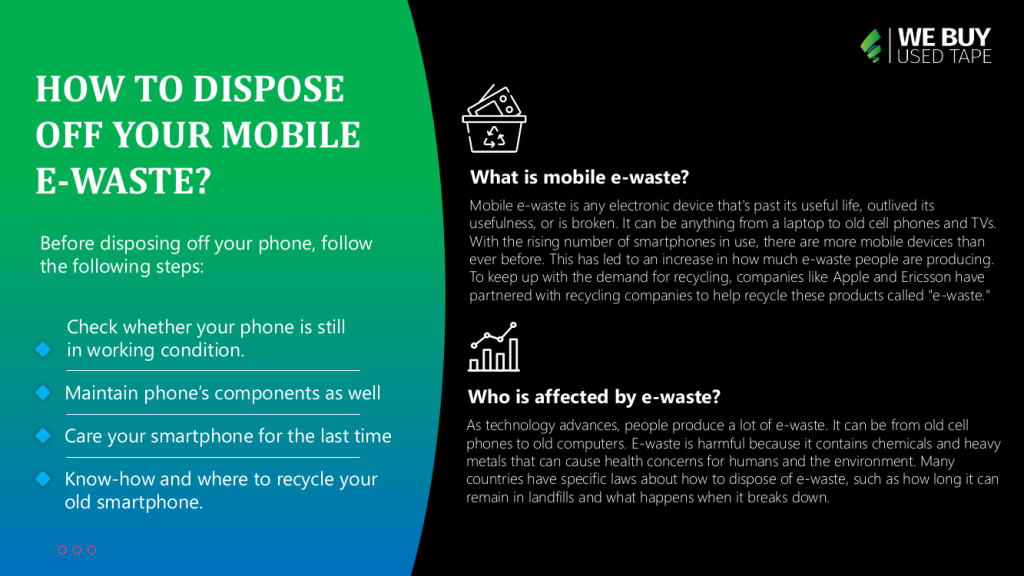
Know-how and where to recycle your old smartphone.

To properly recycle your e-waste, you need to find a recycling facility in your area. The best way is to visit the local city hall or the recycling center’s website and search for “recyclers near me.” If you’re going to sell your old device online instead of recycling it, be sure that you get all the information about the recycler and make sure they won’t try to steal your identity.

Old smartphones can be recycled. Whether the phone is broken, damaged, or just recently replaced with a new one there are resources available to help recycle your old smartphone at a local location. First, check the Metro zone in which you reside for a local recycling location. They typically have a phone recycling program. After that, check with your municipality to see where you can recycle in your city or town. Check out our website for more information on how you can recycle your device.

Getting rid of your old smartphone can be difficult. There are many recycling centers that take electronics. You need to know what and where the center is before you do this, though.

It can be easy to forget why it is important to recycle electronics after a while. After some time goes by, you’ll probably just try to throw your old phone away. You will likely be surprised that most recycling facilities won’t accept dangerous electronic waste because they don’t want to put up with the expensive equipment being destroyed in their process. You might have put your old smartphone into a drawer and forgotten it because there isn’t any recycling or transfer station close by.

https://youtu.be/A9NYl1ci8kI

The battery on phones is usually dangerous to handle and poses a risk of fire. If you still have a phone that is more than 10 years old, it’s probably cheaper in terms of environmental cost to simply get rid of the phone. Some electronic waste contains hazardous materials that can harm people or the environment if not disposed of properly. For example, a battery may have leaked to form acid or gas that, when released into the environment, can cause an explosion and a fire. An e-waste recycling center is usually required by law to contact local and state authorities before they begin processing your materials.

If you are thinking of donating or dumping your old or broken device, make sure you do so responsibly.

When it comes to buying a new cell phone or tablet, many people will purchase one while still using the other. If you’re someone who has a mix of both gadgets and are thinking about switching them out for a more advanced device, it may be prudent to dispose off your old ones for proper recycling. First things first, consult with a local recycling center to find out if mail-in recycling is available. If so, then that’s the best way to go about disposing off both tech devices in one shot.

Our everyday use of mobile technology requires constant replacement. The more we upgrade, the fewer disposal options we have. One option is to dispose off the device and recycle old parts ourselves. This method, like the rest, requires careful planning. After all, there are electric cables and circuitry inside, so safety precautions must be taken too.

Conclusion

If you want your electronic device to be recycled and not end up in a landfill, the best thing you can do is donate it. Many places accept old phones, laptops, tablets, and other devices as well as e-waste. Some of these places include electronics recycling stores, antique stores, and flea markets.

Browse:
Home ewaste How to Dispose of Your Mobile eWaste

Get A Quote

Phoenix Certified
Fill our form here
PrevPreviousWhy is Recycling e-Waste so Difficult?
NextWHAT TO KEEP IN MIND WHILE DROPPING OFF E-WASTENext
Picture of Alex

Alex

Expertise With over 15 years of experience in marketing and business development, Alex is a seasoned strategist in digital marketing, content creation, and brand growth, Ge has grown as a trusted voice in the technology and business sectors over the past decade. Education Alex holds a Master’s degree in Entrepreneurship and dual Bachelor’s degrees in Marketing and Entrepreneurial Management from California State University - San Bernardino. Experience Alex has led high-impact initiatives that have driven significant revenue growth, brand expansion, and customer engagement. His work includes managing e-commerce operations, optimizing digital advertising strategies, and developing content that educates and informs professionals about technology and business trends. Outside of Work Beyond his professional endeavors, Alex enjoys staying active and spending quality time with family.
All Posts

Client
Testimonials

“The buyback program was easy for me to use. I simply sent WEBUY an email with the list of surplus items that I had. WEBUY replied back with a quoted value. I then shipped WBUY the tapes and quickly received payment. The process was very easy and I felt good that I wasn’t throwing the equipment into the landfill and someone else can make use of them.

I will do business with WBUY again.”

Bay Industries Inc.

“I have to say once I found you the process was relatively quick and straightforward. Your website provided great details and once I submitted my inventory within 24 hours I had a quote and confirmation of the dollar amount.

The entire process from shipment to check in hand was painless and quick, I will most definitely use this service again and have already recommended it to my other peers.”

Masons of California

Subscribe to our newsletter

Your inbox deserves better. Sign up for regular updates, insights, and deals!

  • Sorry, this service is unavailable in your country.

  • Should be Empty:
Visit Us
  • 9th St. Rancho Cucamonga, CA 91730
  • West Coast: (800) 700-7683
  • East Coast: (800) 821-1782
  • Local: (909) 466-7680
We Buy Used IT Equipment

Powered By DES

Facebook Instagram X-twitter Youtube Linkedin
BUY EQUIPMENT
  • Backup Tape
  • New Equipment
  • Refurbished Equipment
  • Warranty Info
  • Backup Tape
  • New Equipment
  • Refurbished Equipment
  • Warranty Info
SELL EQUIPMENT
  • Servers
  • Backup Tape
  • Removable Storage
  • Telecom & VOIP
  • Networking & Switches
  • Memory
  • CPUs and Processors
  • Laptops
  • Tape Drives
  • SFP Transceivers
  • Scrap Electronics
  • Servers
  • Backup Tape
  • Removable Storage
  • Telecom & VOIP
  • Networking & Switches
  • Memory
  • CPUs and Processors
  • Laptops
  • Tape Drives
  • SFP Transceivers
  • Scrap Electronics
SERVICES
  • IT Asset Disposition
  • Data Destruction
  • Data Center Services
  • Secure Shipping
  • Donate Your Assets
  • International Sales
  • Onsite Services
  • Electronics Recycle
  • IT Asset Disposition
  • Data Destruction
  • Data Center Services
  • Secure Shipping
  • Donate Your Assets
  • International Sales
  • Onsite Services
  • Electronics Recycle
STAY INFORMED
  • Blog
  • About Us
  • Contact Us
  • Our Process
  • FAQ
  • Sitemap
  • Blog
  • About Us
  • Contact Us
  • Our Process
  • FAQ
  • Sitemap

© 2026 All Rights Reserved. Website created with ❤ by mrrssy.

Accessibility Adjustments

Powered by OneTap

How long do you want to hide the toolbar?
Hide Toolbar Duration
Select your accessibility profile
Vision Impaired Mode
Enhances website's visuals
Seizure Safe Profile
Clear flashes & reduces color
ADHD Friendly Mode
Focused browsing, distraction-free
Blindness Mode
Reduces distractions, improves focus
Epilepsy Safe Mode
Dims colors and stops blinking
Content Modules
Font Size

Default

Line Height

Default

Color Modules
Orientation Modules