Streamlining a data center means running the same business on less hardware, power, and space. The process is to find what’s idle, retire or consolidate it, right-size what’s left, then relocate the systems worth keeping and sell the rest. Every step needs documented data destruction and chain of custody, so the savings don’t turn into a breach.
Ready to sell what you’re not keeping? See our data center lots page.
What Is a Data Center?
A data center is the facility where an organization keeps its core IT: servers, storage, and networking gear, plus the power, cooling, backup generators, and security that keep them running around the clock. It might be a closet-sized server room or a building the size of a warehouse. Either way, it holds the systems that store and process your customer records, financial data, and daily operations.
What Is Data Center Streamlining?
Streamlining means shrinking a data center to what the business actually needs, then running that more efficiently. Typical moves include cutting energy use, consolidating hardware, retiring idle or obsolete equipment, improving cooling, and tightening security.
One caution. Streamlining isn’t the same as stripping out resilience. Keep the redundant power, backup generators, and disaster recovery plans your uptime depends on, and cut the idle servers nobody depends on.
Why Streamline?
The case is practical. Fewer servers means a smaller power and cooling bill, and fewer licenses and maintenance contracts to pay. Every machine you keep is one more to patch and monitor, so a smaller footprint also shrinks your attack surface. Retiring old, unsupported gear removes some of the likeliest causes of outages. And streamlining can reveal capacity you already have, which sometimes delays the need to expand.
The original version of this post promised faster processing and guaranteed security from regular updates. Streamlining doesn’t promise either one. Consolidating onto newer hardware can improve performance, and removing unsupported systems reduces risk, but the results depend on your environment.
Why Now
Three pressures are landing at once. The first is support deadlines. Microsoft’s Azure Arc blog confirms that the Extended Security Updates program for Windows Server 2012 and 2012 R2 ended on October 13, 2026, so those servers no longer receive security updates. Raff Technologies’ lifecycle table puts Windows Server 2016’s end of extended support in January 2027. If either is in your racks, you have a decision to make.
The second is hardware cost. New servers cost more because memory costs more. ITLDC estimates that a 64 GB DDR4-2933 server module now costs roughly 2.5 to 3.2 times its January price, citing TrendForce’s estimate that conventional DRAM contract prices jumped 93 to 98 percent in the first quarter of 2026. That makes every idle server more expensive to replace, and every retired one more valuable to sell.
The third is idle gear. In a 2015 study by the Anthesis Group with Stanford’s Jonathan Koomey, 30% of the 4,000 servers sampled across five facilities were “comatose,” meaning they had delivered no useful computing in six months or more. That’s a small, older sample, so treat it as a reason to check your own, not a forecast.
Why Relocate?
Streamlining and relocating are related but different. Streamlining shrinks what you run, while relocating changes where you run it. The common reasons to move are a lease or facility ending, power or cooling limits that can’t support the hardware you need, consolidation after a merger or when closing sites, and a move to colocation or the cloud. Growth is also a reason, since a business that outgrows its room needs more space, not less. Location itself can be the problem, whether it’s power cost and availability, network connectivity and latency, data residency rules, or exposure to floods, fires, and other hazards. Don’t wait for a disaster to find out your site is a risk. Moving away from a known hazard, or adding a recovery site, is cheaper before something happens than after.
Five Steps to Streamline or Relocate
Step 1: Assess and Audit
Start by taking stock of your current infrastructure, and do it with data instead of assumptions. List every server, storage array, switch, and appliance, then measure what each one does: network traffic, CPU and memory use, and logins over the last few months. Map which systems depend on which, and sort what’s essential, what needs updating, and what needs replacing.
Consider a mid-sized company that audits its racks and finds 40 servers with no meaningful traffic in six months. Nobody remembers what they were for. That’s your first win, and it costs nothing to find. In the Anthesis report, one enterprise that acted on the evidence cut its share of idle physical servers from 30% to 8% in a year, and the same report found about 30% of virtual machines were idle too. Our guide to IT asset management explains what to record.
Step 2: Retire, Consolidate, and Right-Size
Retire the servers nobody uses first. ENERGY STAR’s page on unused servers cites an Uptime Institute estimate that removing a single 1U server can save about $500 a year in energy, $500 in operating system licenses, and $1,500 in hardware maintenance. It’s an older figure, so run your own numbers, but the direction holds.
Next, consolidate underused systems onto fewer machines through virtualization or containers, or move suitable workloads to colocation or the cloud. Our partner’s cloud migration services can help with that. Replace gear that’s out of support, and see our guide to replacing networking gear for how to track support dates. Finally, right-size power and cooling to what’s left, so a smaller footprint doesn’t carry the old infrastructure’s overhead.
Step 3: Plan the Move
If you’re relocating, a plan keeps a stressful project from turning into an outage. Write a project plan with timelines, milestones, and key tasks. Name the risks and prepare contingency plans, including a rollback. Keep stakeholders informed, including IT staff, management, and any department that needs access during testing before go-live. Check power, cooling, and hardware compatibility at the new site, including whether your racks fit, and train people so everyone understands how their environment changes after the move.
Add one more check: your support contracts. HPE’s relocation services page, for example, states that equipment under HPE support that’s moved by anyone other than HPE must be recertified to reinstate support or warranty coverage. Check your own vendors’ terms before you move anything.
For the full planning timeline, read our 90-day relocation and liquidation plan. If you need hands-on help clearing a site, our partner DES Technologies offers data center decommissioning, hardware removal, and on-site services.
Step 4: Liquidate What You Won’t Keep
This is where streamlining pays for itself. Sell surplus equipment before the move, not after, so you move less and keep the proceeds. Timing is on your side right now. A benchmarking report covered by Resource Recycling found server resale values reached roughly 2.5 times their seven-year average in 2025, and our guide to what your used server is worth explains how pricing works.
A practical tip is to sell in two waves. Surplus and already-retired gear goes first, and production systems wait until the new environment is validated. Send us the make, model, quantity, configuration, and condition. We buy servers, storage, networking gear, memory, and tape, plus full data center lots.
Step 5: Protect Your Data at Every Step
Streamlining moves a lot of storage around, and every device is a chance for data to leak. Sanitize before anything leaves, following NIST SP 800-88 Revision 2, published September 26, 2025, with certified erasure or physical destruction. Treat SSDs differently. Jetico’s NIST guide explains that flash storage needs methods like cryptographic erase or a sanitize command, because overwriting can miss data.
Track every device with serial-level records and a documented chain of custody, and get proof. A Certificate of Data Destruction should list each serial number, the method, the date, and the standard followed. Equipment with no resale value goes to R2v3-certified recycling. Our guide to data center equipment recycling covers that side, and our guide to what happens when you dispose of an IT asset explains the full process.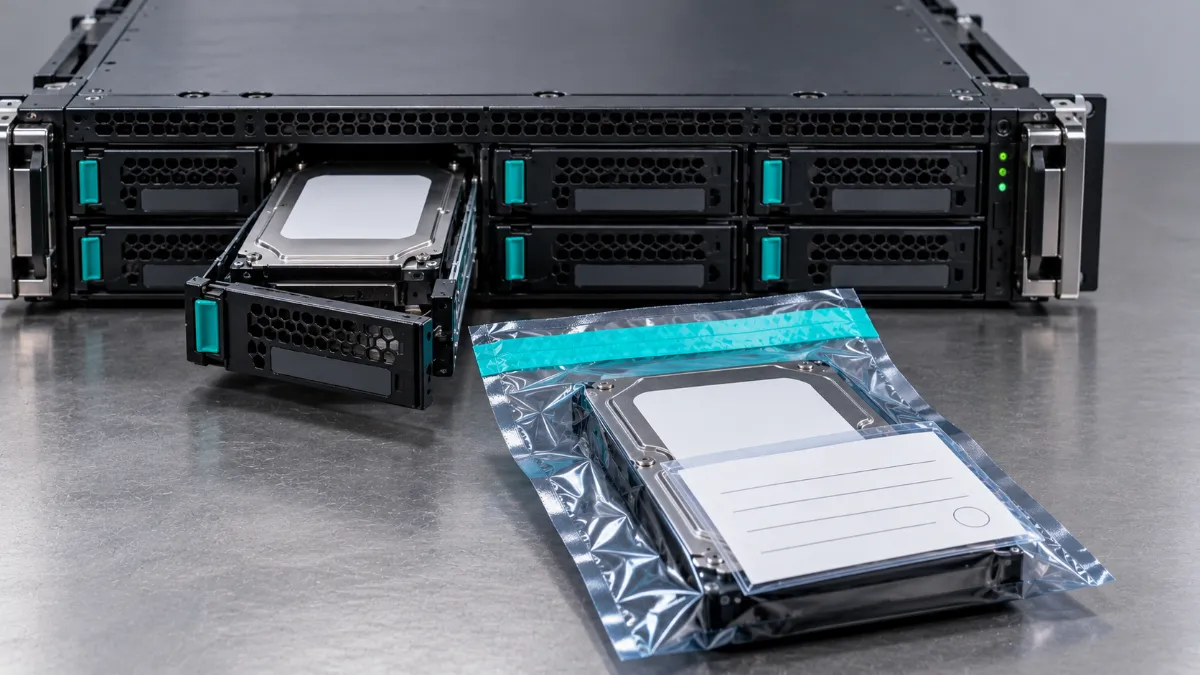
How to Tell It Worked
Measure before and after, using the same yardsticks: total power draw and cooling load, the number of racks and servers, license and maintenance contracts, the number of end-of-support systems, and proceeds from equipment sold. Savings are the avoided power, license, and maintenance costs, plus sale proceeds, minus any move costs. The ones teams forget are sale proceeds and avoided maintenance.
Mistakes to Avoid
- Moving first, auditing later. You’ll pay to relocate gear you didn’t need.
- Trusting the inventory spreadsheet. If nobody has checked it against real traffic, it’s a guess.
- Selling after the move. Waiting costs you space, freight, and value.
- Skipping data destruction on “old” gear. Old drives still hold data.
- Forgetting support terms. Moving certain equipment can void warranty coverage unless it’s recertified.
- Missing the paperwork. If you can’t prove what happened to a device, it didn’t happen.
Choosing a Partner
The original ended on a good instinct: choose an experienced provider. Here’s how to tell who is one. Ask for current certifications, such as R2v3, and verify them. Make sure they track every device from pickup to final disposition, and ask for a sample Certificate of Data Destruction with serial numbers before you sign. Get clear on who does what: who removes the racks, who sells the equipment, and who destroys the data. We buy and process equipment, and our partner DES Technologies handles hands-on removal and decommissioning. A good provider evaluates resale value up front, not after the equipment is gone, and can give references.
Frequently Asked Questions
What does it mean to streamline a data center?
It means running the same workloads on less hardware, power, and space. That usually involves retiring idle servers, consolidating underused ones, and right-sizing what remains.
Do I have to relocate to streamline?
No. Many organizations streamline in place. Relocation makes sense when the smaller footprint fits better elsewhere, such as a new facility or a colocation site.
How do I find idle servers?
Measure network traffic, CPU and memory use, and logins over several months, and map dependencies before shutting anything down. Check virtual machines too.
Should I sell equipment before or after a move?
Before, when it’s surplus. You move less, and you keep the proceeds. Sell production gear after the new environment is validated.
How do I protect data during decommissioning?
Sanitize everything that leaves following NIST SP 800-88 Revision 2, track every device by serial number, and keep a Certificate of Data Destruction.
What happens to equipment that can’t be sold?
It’s recycled, with metals and components recovered instead of landfilled. Look for R2v3-certified recycling and documentation.
Ready to Lighten the Load?
Get a free quote to see what your surplus equipment is worth. Send us your list, and we cover secure shipping. Every device goes through our Phoenix Certified process, and you get paid with a Certificate of Data Destruction. You can also read about our data center services or check our FAQ.