Short answer: The safest way to dispose of a hard drive is to destroy it or securely erase it, following NIST SP 800-88 Revision 2, and then recycle it. Deleting files, formatting, or a factory reset isn’t enough. Ask for a Certificate of Data Destruction as proof. Drives with resale value can be sold after certified erasure.
See what we accept and process: our hard drives hub covers every drive type, from laptop and external drives to server drives.
In this guide: Which method fits your drive · What doesn’t work · Step by step · Proof you need · Rules that may apply · Is your drive worth anything? · FAQ
Which Method Fits Your Drive?
NIST’s current guidance, SP 800-88 Revision 2 (published September 2025), describes three levels: Clear, Purge, and Destroy. In plain terms, here’s how that plays out:
| Your Drive | Best Method | Why |
|---|---|---|
| Working hard drive (HDD) with resale value | Certified erasure, then resale | Overwriting makes the data unrecoverable and leaves the drive usable |
| Damaged or non-working HDD | Physical destruction (shredding) | A dead drive often can’t be overwritten |
| HDD with highly sensitive data | Shredding, or degaussing followed by shredding | Maximum assurance, but the drive can’t be reused |
| Solid-state drive (SSD) | Cryptographic or manufacturer secure erase, or shredding | Overwrite tools built for HDDs don’t reliably sanitize flash storage |
| USB sticks and memory cards | Shredding | Small, and hard to verify any other way |
Two cautions on that table. Degaussing only works on magnetic drives like HDDs, not SSDs, and it usually leaves a drive unusable. And if you’re not sure whether a drive is an HDD or an SSD, that’s a good reason to hand it to a professional.
What Doesn’t Work
- Deleting files or emptying the recycle bin. This only removes the file system’s reference to the data.
- Formatting or a factory reset. These often leave recoverable data behind.
- Drilling holes or hitting a drive with a hammer. DIY destruction can miss data, and it creates sharp fragments and safety hazards.
- Tossing drives in the trash or an e-waste bin. Drives can end up in the wrong hands, and some data is easy to recover.
- Donating or reselling a drive without certified erasure. Studies of resold drives keep finding recoverable data.
For a deeper look at why, see our guides on data sanitization and why sanitization matters.
Step by Step
- Back up anything you need. Once data is destroyed, it’s gone.
- Identify your drives. Note the type (HDD, SSD, USB), the quantity, and the condition.
- Choose a method using the table above.
- Get proof. A professional provider should give you a Certificate of Data Destruction.
- Recycle or sell. Drives that are destroyed go to responsible recycling. Drives with value can be sold after certified erasure.
How Our Process Works
- Get a quote. Request a quote online, by email, or by phone. Include a manifest with the drive type, quantity, and condition. We usually reply within 24 to 48 business hours.
- Confirm the method. Once you accept, we confirm the best destruction method for your needs, following NIST SP 800-88.
- Ship or schedule pickup. We offer free shipping for qualifying consignments, and pickup for bulk loads. You can use your preferred carrier, and we provide packaging guidance. Packages are tracked to maintain chain of custody. See our secure shipping details.
- Secure processing. Drives are sorted, then destroyed or erased through our Phoenix Certified process. Our guide to hard drive destruction covers the methods.
- Payment. If your drives have resale value, we pay by check, PayPal, or wire, usually within a few business days after inspection.
Drives don’t have to come out of their devices first. We can extract them if needed.
What Proof You Need
A real Certificate of Data Destruction should include:
- The serial number of each drive
- The method used
- The date
- The standard it followed, such as NIST SP 800-88
A certificate without serial numbers isn’t strong audit evidence. See our Certificate of Data Destruction guide, and DES’s explainer on what a certificate should include.
Rules That May Apply
Which rules apply depends on your data and location. Examples:
- HIPAA. The Security Rule requires policies for the final disposition of electronic protected health information and the media it’s stored on (45 CFR 164.310(d)(2)(i)).
- FTC Disposal Rule. It requires proper disposal of consumer report information, including electronic media.
- State data disposal laws. Many states require businesses to make personal information unreadable before disposal.
- GDPR. It applies if you handle personal data of people in the EU, and it can bring significant fines for mishandling data.
If you’re not sure what applies, ask your legal or compliance contact.
Is Your Drive Worth Anything?
Sometimes. Value depends on the drive type, capacity, age, brand, condition, and quantity.
- More likely to have value: Enterprise and server drives, larger-capacity drives, SSDs, and bulk lots. According to recent market reports, enterprise SSD prices rose sharply this year, so enterprise drives are worth checking.
- Less likely: Small, old consumer drives. These often have little resale value, but we can still destroy and recycle them securely.
Before we process drives, we evaluate your inventory and make an offer upfront if there’s resale potential. Browse the hard drives hub or our wider storage equipment page to see what we buy. We also buy laptops and servers, so you can sell whole devices at once.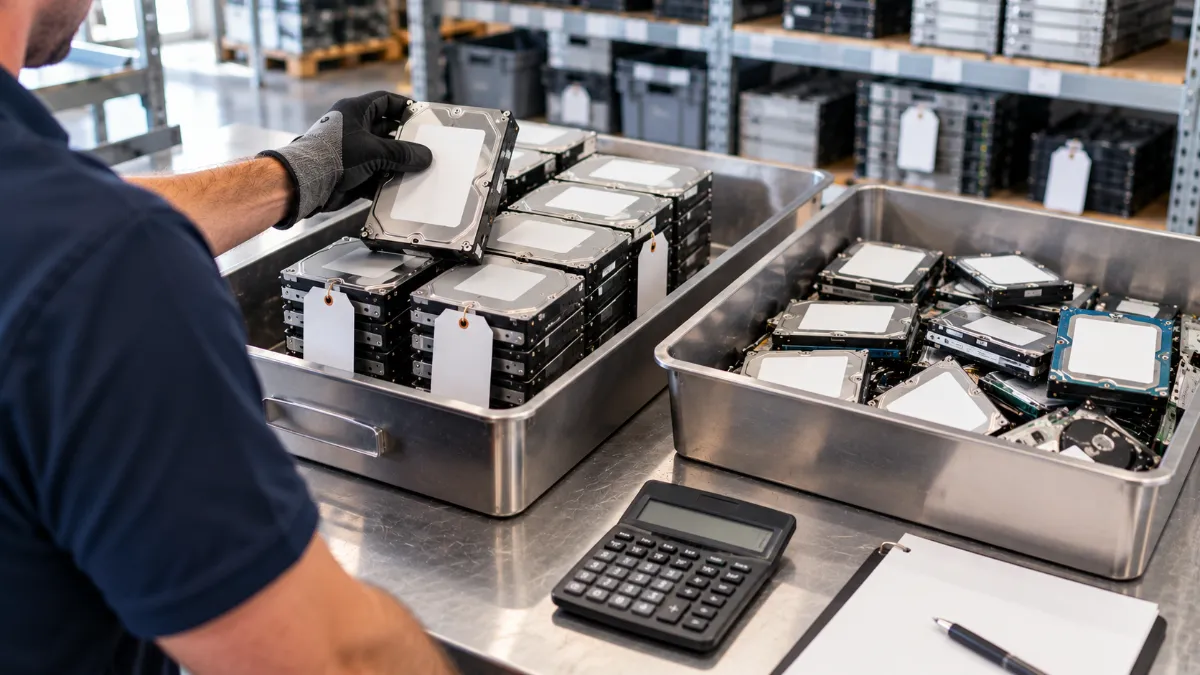
What Happens to Drives After Destruction
Drives are sorted and shredded, and the materials are separated and recycled through R2v3-certified processes, so metals and components are recovered instead of landfilled. The UN’s 2024 Global E-waste Monitor found that the world generated 62 million tonnes of e-waste in 2022, and only 22.3% was documented as properly collected and recycled. Our partner DES Technologies handles electronics recycling under R2v3 certification. Usable components may be routed for reuse.
Who Uses This Service
- Individuals clearing out old computers and drives
- Businesses retiring outdated IT hardware (see our ITAD best practices for small and medium-sized businesses)
- Legal, finance, education, and healthcare organizations handling confidential information
- IT professionals who need proof of compliance
For more on the full disposal process, read our guide to secure IT equipment disposal. If you’d like to do some of the work yourself first, our partner’s guide to erasing data before you recycle explains how.
Frequently Asked Questions
What’s the safest way to dispose of a hard drive?
Destroy it or securely erase it following NIST SP 800-88 Revision 2, get a Certificate of Data Destruction, and then recycle it. Don’t rely on deleting files, formatting, or a factory reset.
Is shredding or wiping better?
Both are valid. Wiping (certified erasure) works for working drives you want to resell. Shredding is better for damaged drives and highly sensitive data, since it destroys the drive for good.
How do I get rid of an SSD securely?
Overwrite tools built for HDDs don’t reliably sanitize flash storage. Use a verified cryptographic erase or the manufacturer’s secure erase function, or physically destroy the drive.
Should I remove drives from my devices first?
It’s not required. We can safely extract drives from laptops, desktops, and servers if needed.
Can I get paid for old hard drives?
Sometimes. Enterprise, larger-capacity, and bulk drives are more likely to have value, while small, old consumer drives often don’t. We evaluate your inventory and make an offer upfront if there’s resale potential.
What documentation do I get?
A Certificate of Data Destruction, plus chain-of-custody and recycling records. A strong certificate lists each drive’s serial number, the method, the date, and the standard followed.
Do you accept small quantities?
Yes. We accept all volumes. Free pickup applies to bulk consignments, and small shipments are welcome.
Ready to Dispose of Your Drives?
Get a free quote to find out what your drives are worth, or contact our specialists with questions. You can also head back to the hard drives hub to see everything we accept.