If you’re planning a data center decommission, don’t unplug equipment and hope for the best. A structured decommissioning process protects sensitive data, reduces downtime, maximizes resale value, and ensures responsible recycling. This checklist walks you through every step before you sell or recycle your IT equipment.
Why a Data Center Decommissioning Checklist Matters
A data center decommissioning project involves much more than removing old servers from a rack. Every asset contains value, sensitive information, and environmental responsibility.
Without a clear plan, organizations often face:
- Lost resale revenue
- Data security risks
- Compliance issues
- Missing inventory
- Unexpected project delays
- Higher labor costs
A professional data center decommissioning strategy helps businesses recover value while maintaining security and regulatory compliance.
Whether you’re upgrading infrastructure, consolidating locations, migrating to the cloud, or closing a facility, following the right process protects both your business and your budget.
Data Center Decommissioning Checklist
Use the following checklist before selling or recycling any equipment.
1. Create a Complete Asset Inventory
Before touching a single server, document every asset.
Your inventory should include:
- Servers
- Storage arrays
- Network switches
- Firewalls
- Tape libraries
- UPS systems
- PDUs
- Racks and cabinets
- Cabling
- Spare equipment
Record:
- Manufacturer
- Model number
- Serial number
- Asset tag
- Rack location
- Physical condition
- Operational status
A detailed inventory reduces errors and creates the foundation for valuation, logistics, and compliance reporting.
2. Identify Equipment with Resale Value
Not every asset belongs in the recycling stream.
Many organizations are surprised by how much value remains in:
- Cisco networking equipment
- Dell PowerEdge servers
- HPE ProLiant servers
- NetApp storage
- EMC storage arrays
- IBM enterprise hardware
- NVIDIA GPU servers
- Tape libraries
- Enterprise SSDs
Current-generation hardware often commands significant resale value.
Selling reusable equipment before recycling helps offset project costs and supports sustainable IT lifecycle management.
3. Determine Which Equipment Should Be Recycled
Some assets have reached the end of their useful life.
Examples include:
- Failed hardware
- Obsolete networking equipment
- Broken storage arrays
- Damaged servers
- Unsupported legacy systems
Instead of sending these assets to a landfill, work with a certified electronics recycler that follows responsible downstream processing practices.
Responsible recycling protects the environment while helping your organization meet ESG and sustainability goals.
4. Protect Sensitive Data
Data security remains the highest priority during every decommissioning project.
Even equipment scheduled for recycling may still contain:
- Customer information
- Employee records
- Financial data
- Healthcare records
- Intellectual property
- Authentication credentials
Every storage device should undergo secure data destruction before leaving your facility.
Depending on your requirements, this may include:
- NIST 800-88 compliant data sanitization
- Certified data erasure
- Drive shredding
- Degaussing
- Physical destruction
Always request a Certificate of Data Destruction for compliance documentation.
5. Verify Regulatory Compliance
Many industries have strict data handling requirements.
Organizations may need to comply with:
- HIPAA
- PCI DSS
- SOX
- FERPA
- GLBA
- GDPR
- State privacy regulations
Proper documentation helps demonstrate compliance during future audits.
Keep records including:
- Asset inventories
- Chain of custody
- Certificates of Recycling
- Certificates of Data Destruction
- Transportation records
6. Schedule the Decommission Carefully
Poor scheduling can interrupt business operations.
Plan around:
- Maintenance windows
- Cloud migration timelines
- Facility shutdowns
- Network cutovers
- Backup verification
- Business continuity plans
Large enterprise projects often occur in phases to minimize downtime.
7. Label and Organize Equipment
Before equipment leaves the building:
- Label every asset
- Match inventory records
- Separate resale assets
- Separate recycling assets
- Isolate data-bearing devices
- Organize by rack or department
Organization speeds removal while reducing mistakes.
8. Maintain Chain of Custody
Every asset should remain traceable throughout the project.
Document:
- Pickup times
- Personnel involved
- Transportation methods
- Warehouse receipt
- Processing milestones
- Final disposition
A documented chain of custody strengthens both security and compliance.
9. Remove Equipment Safely
Data center equipment is heavy and often installed in confined environments.
Professional removal teams help prevent:
- Rack damage
- Cable damage
- Power incidents
- Equipment drops
- Workplace injuries
Experienced technicians also know how to disconnect enterprise hardware without disrupting adjacent infrastructure.
10. Recover Maximum Asset Value
One of the biggest mistakes organizations make is recycling everything without evaluating resale opportunities.
A qualified IT asset disposition (ITAD) partner evaluates:
- Market demand
- Equipment age
- Hardware condition
- Component value
- Current secondary market pricing
Recovering value can significantly reduce the overall cost of a data center decommissioning project.
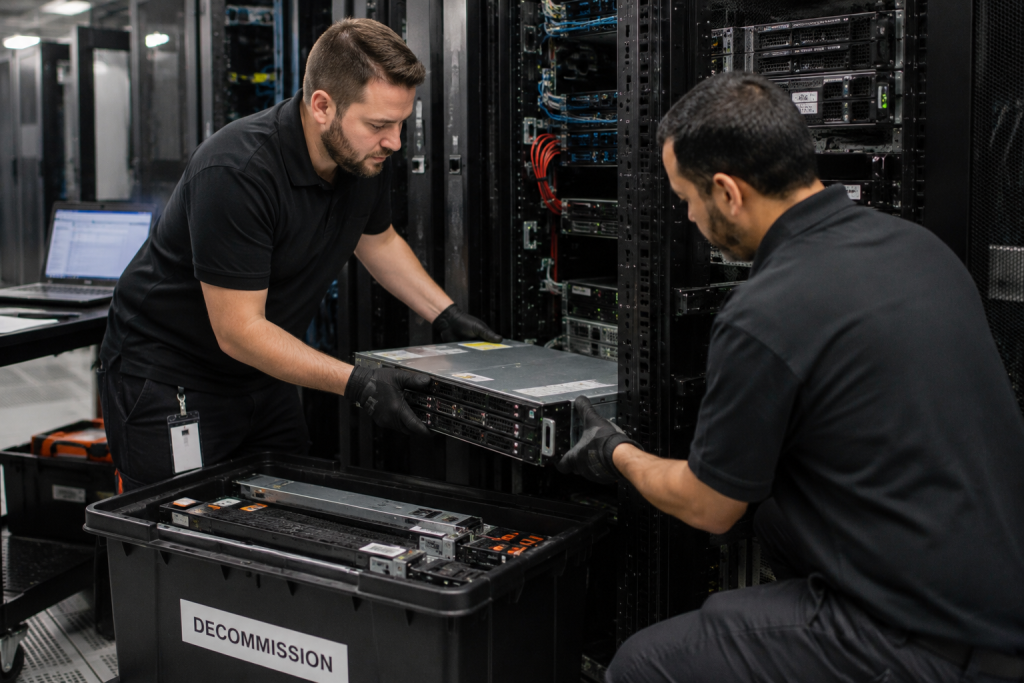
Data Center Decommissioning Timeline
Most projects follow a similar workflow:
- Planning
- Asset inventory
- Equipment valuation
- Secure data destruction
- Equipment removal
- Logistics and transportation
- Resale or recycling
- Documentation and reporting
Larger enterprise projects may span several weeks, while smaller server rooms often complete within a few days.
Data Center Decommissioning: Sell vs. Recycle
| Factor | Sell Equipment | Recycle Equipment |
|---|---|---|
| Asset Value | Generates revenue | No resale value |
| Equipment Age | Newer or supported | Obsolete or damaged |
| Environmental Impact | Extends product lifecycle | Recovers raw materials |
| Data Security | Secure erasure required | Secure destruction required |
| Best For | Working enterprise hardware | End-of-life equipment |
| Financial Return | High potential | Minimal or none |
What Does Liability Transfer Mean in Data Center Decommissioning?
Liability transfer means a qualified IT asset disposition provider assumes responsibility for handling your retired equipment according to applicable regulations and industry standards after documented transfer. This includes secure transportation, data destruction, responsible recycling, and downstream processing.
Proper documentation protects your organization by creating a clear record of asset ownership transfer and final disposition.
How Long Does a Full Rack Decommission Take?
The answer depends on several factors:
- Number of devices
- Cabling complexity
- Data destruction requirements
- Inventory size
- Facility access
- Transportation logistics
A single rack often takes only a few hours to remove, while a full enterprise data center decommission may take several weeks from planning through final reporting.
Why Businesses Partner with Professional ITAD Providers
An experienced ITAD provider simplifies every phase of the project.
Professional services typically include:
- Asset inventory
- Equipment valuation
- Secure logistics
- Certified data destruction
- Enterprise equipment buyback
- Responsible electronics recycling
- ESG reporting
- Final documentation
Instead of coordinating multiple vendors, organizations work with one experienced partner from planning through completion.
Frequently Asked Questions
What is a data center decommissioning checklist?
A data center decommissioning checklist outlines every step required to safely retire IT infrastructure. It includes inventory management, data destruction, equipment removal, resale evaluation, recycling, documentation, and regulatory compliance.
What does liability transfer mean in decommissioning?
Liability transfer occurs when ownership and responsibility for retired IT assets officially pass to a qualified ITAD provider. Proper documentation helps protect your organization from future compliance or environmental risks.
How long does a complete data center decommission take?
Small server rooms may take one to three days. Enterprise data centers often require several weeks depending on project scope, inventory size, scheduling, and secure data destruction requirements.
Should I sell or recycle my retired servers?
Working enterprise servers often retain significant resale value. Older, damaged, or unsupported hardware is typically better suited for certified electronics recycling. A professional asset evaluation determines the best option for each device.
How do I securely dispose of hard drives during a data center decommission?
Organizations should follow recognized standards such as NIST SP 800-88. Depending on security requirements, drives may be sanitized, degaussed, shredded, or physically destroyed. Always request a Certificate of Data Destruction.
Ready to Plan Your Data Center Decommission?
If you’re preparing to sell or recycle enterprise IT equipment, We Buy Used IT Equipment can help. Our team provides secure data destruction, certified recycling, equipment buyback, logistics, and complete documentation to simplify your project from start to finish.
Contact us today for a free asset evaluation and discover how much value you can recover from your retired IT equipment.