Skip to content
Facebook Instagram X-twitter Youtube Linkedin Phone

West Coast: (800) 700-7683 — East Coast: (800) 821-1782 — Local: (909) 466-7680 — 9033 9th St. Rancho Cucamonga, CA 91730

We Buy Used IT Equipment

Powered By DES

  • Sell Your Equipment
    • Servers
      • Cisco
      • Dell
      • IBM
      • HP
      • Lenovo
      • SuperMicro
    • Backup Tapes
      • LTO Tapes
        • LTO10
        • LTO9
        • LTO8
        • LTO7
        • LTO6
        • LTO5
        • LTO4
        • LTO3
        • LTO Cleaning Tape
      • 3592 Tapes
        • 3592 JK
        • 3592 JE
        • 3592 JD
        • 3592 JC
        • 3592 JB
        • 3592 JA
      • T10k T2 Tapes
      • MLR/SLR Tapes
        • IBM MLR1 SLR32
        • Imation SLR32
        • Sony SLR5
        • Tandberg SLR
        • MLR/SLR Cleaning Tape
      • 4mm Tapes
        • DDS7 – DAT320
        • DDS6 – DAT160
        • DDS5 – DAT72
        • DDS4 – DAT40
      • 8mm VXA Tapes
    • Data Storage
      • Hard Drives
        • HGST
        • Hitachi
        • HP
        • IBM
        • Kingston
        • Samsung
        • Seagate
        • Toshiba
        • Western Digital
      • Storage Arrays
    • Networking
      • Routers
      • Switches
    • VoIP and Telecom
    • Memory
      • Server Memory
      • Laptop Memory
      • Desktop Memory
      • DDR3
      • DDR4
      • DDR5
    • CPUs and Processors
      • Intel Core
      • Intel Xeon
      • AMD
    • Laptops
      • Apple
      • Asus
      • Dell
      • HP
      • IBM Lenovo
      • Samsung
      • Toshiba
    • Tape Drives and Libraries
    • SFP Transceivers
      • Cisco SFP Transceivers
      • HPE SFP Transceivers
    • Scrap Electronics
    • Submit Your List
  • Services
    • Secure IT Asset Disposition
      • Secure Shipping
    • Data Center Services
      • Takeouts
      • Relocation
      • Liquidation
      • Other On-Site Services
    • Data Destruction
      • Data Destruction Compliance
        • Certificate of Data Destruction
        • Physical Data Destruction
        • Permanent Data Erasure
        • Magnetic Degaussing
      • Data Tape Erasure
      • Hard Drive Disposition
        • Hard Drive Sanitization
    • Electronics Recycling
    • Global Advantage Partner
    • Donate to Charity
  • Buy Equipment
    • Backup Tape
    • Data Center Equipment
    • New Equipment
    • Refurbished Equipment
      • Refurbished Servers
    • Warranty Information
  • Lifecycle & Sustainability
    • Lifecycle Services
      • Secure IT Asset Disposition
      • Electronics Recycling
      • Donate IT Equipment to Charity
      • Our ITAD Process
      • Secure Equipment Shipping
    • Resources
      • IT Equipment Recycling
      • E Waste Recycling
      • IT Asset Disposition Guide
      • Data Center Decommissioning
      • Comprehensive Guide to ITAD
      • Guide to Donating to Charity
  • Blog
  • About Us
    • Contact Us
    • Our Processes
    • ITAD White Paper
    • References
    • Privacy Policy
    • FAQ
    • Sitemap
  • Get A Quote
  • Sell Your Equipment
    • Servers
      • Cisco
      • Dell
      • IBM
      • HP
      • Lenovo
      • SuperMicro
    • Backup Tapes
      • LTO Tapes
        • LTO10
        • LTO9
        • LTO8
        • LTO7
        • LTO6
        • LTO5
        • LTO4
        • LTO3
        • LTO Cleaning Tape
      • 3592 Tapes
        • 3592 JK
        • 3592 JE
        • 3592 JD
        • 3592 JC
        • 3592 JB
        • 3592 JA
      • T10k T2 Tapes
      • MLR/SLR Tapes
        • IBM MLR1 SLR32
        • Imation SLR32
        • Sony SLR5
        • Tandberg SLR
        • MLR/SLR Cleaning Tape
      • 4mm Tapes
        • DDS7 – DAT320
        • DDS6 – DAT160
        • DDS5 – DAT72
        • DDS4 – DAT40
      • 8mm VXA Tapes
    • Data Storage
      • Hard Drives
        • HGST
        • Hitachi
        • HP
        • IBM
        • Kingston
        • Samsung
        • Seagate
        • Toshiba
        • Western Digital
      • Storage Arrays
    • Networking
      • Routers
      • Switches
    • VoIP and Telecom
    • Memory
      • Server Memory
      • Laptop Memory
      • Desktop Memory
      • DDR3
      • DDR4
      • DDR5
    • CPUs and Processors
      • Intel Core
      • Intel Xeon
      • AMD
    • Laptops
      • Apple
      • Asus
      • Dell
      • HP
      • IBM Lenovo
      • Samsung
      • Toshiba
    • Tape Drives and Libraries
    • SFP Transceivers
      • Cisco SFP Transceivers
      • HPE SFP Transceivers
    • Scrap Electronics
    • Submit Your List
  • Services
    • Secure IT Asset Disposition
      • Secure Shipping
    • Data Center Services
      • Takeouts
      • Relocation
      • Liquidation
      • Other On-Site Services
    • Data Destruction
      • Data Destruction Compliance
        • Certificate of Data Destruction
        • Physical Data Destruction
        • Permanent Data Erasure
        • Magnetic Degaussing
      • Data Tape Erasure
      • Hard Drive Disposition
        • Hard Drive Sanitization
    • Electronics Recycling
    • Global Advantage Partner
    • Donate to Charity
  • Buy Equipment
    • Backup Tape
    • Data Center Equipment
    • New Equipment
    • Refurbished Equipment
      • Refurbished Servers
    • Warranty Information
  • Lifecycle & Sustainability
    • Lifecycle Services
      • Secure IT Asset Disposition
      • Electronics Recycling
      • Donate IT Equipment to Charity
      • Our ITAD Process
      • Secure Equipment Shipping
    • Resources
      • IT Equipment Recycling
      • E Waste Recycling
      • IT Asset Disposition Guide
      • Data Center Decommissioning
      • Comprehensive Guide to ITAD
      • Guide to Donating to Charity
  • Blog
  • About Us
    • Contact Us
    • Our Processes
    • ITAD White Paper
    • References
    • Privacy Policy
    • FAQ
    • Sitemap
  • Get A Quote

What to Check Before Selling Your Networking Gear Online

Cisco, Network Routers, Network Switches, Networking Gear
  • Alex
  • July 26, 2022
  • 2:12 pm
Browse:
Home Cisco What to Check Before Selling Your Networking Gear Online

Before you sell your used networking gear online, there are a few things you need to check in order to make sure you’re getting the most money for it. In this article, we’ll go over what to check and how to get started.

The benefits of selling networking gear online

When you sell networking gear online, you have the potential to reach a much wider audience than you would if you were selling through brick-and-mortar stores. You also have the ability to sell your gear at a lower price, since you don’t have the overhead costs associated with physical stores.

Another benefit of selling online is that you can take advantage of social media to promote your products. By creating a blog or posting on forums, you can let potential buyers know about your products and why they should purchase from you. You can also use social media to build relationships with potential customers and answer any questions they may have.

What type of networking gear can be sold online?

There are many types of networking gear that can be sold online. Some popular items include routers, switches, and servers. Before selling any networking gear, it is important to research the market conditions and make sure that the item is in demand. You can also test the marketability of your equipment by listing it on an online auction site.

Be sure to read the terms and conditions of any online auction site before listing your equipment. Some sites have restrictions on the types of gear that can be sold, and some sites have rules about how much money a buyer can pay for an item.

What are the common issues with networking gear?

If you’re planning on selling your networking gear online, there are a few things you’ll want to check first. Here are some of the most common issues with networking gear:

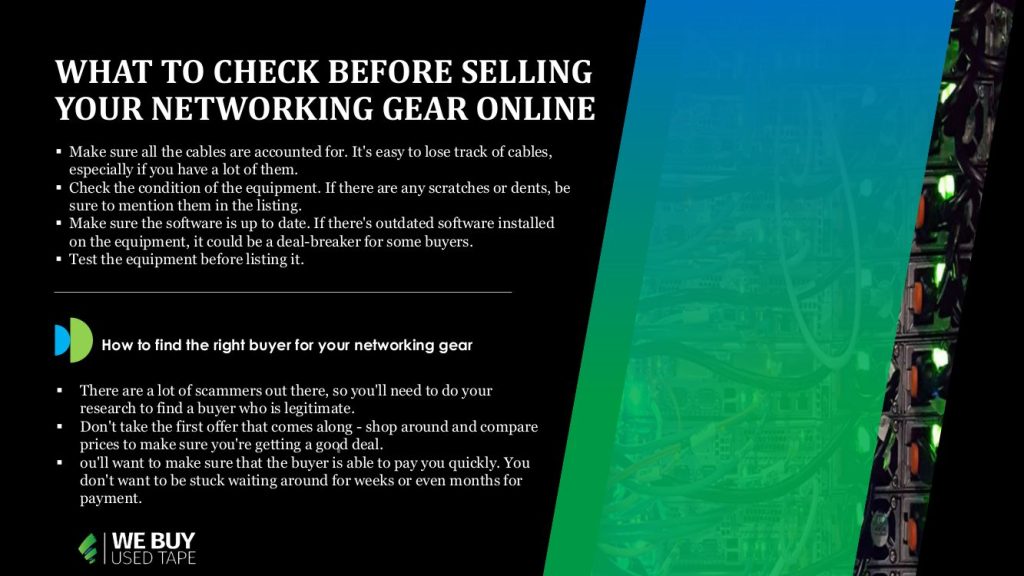
1. Make sure all the cables are accounted for. It’s easy to lose track of cables, especially if you have a lot of them. A potential buyer will want to know that all the necessary cables are included.

2. Check the condition of the equipment. If there are any scratches or dents, be sure to mention them in the listing. Also, make sure all the lights are working and that there aren’t any loose parts.

3. Make sure the software is up to date. If there’s outdated software installed on the equipment, it could be a deal-breaker for some buyers. Be sure to mention in the listing if there are any updates that need to be made.

4. Test the equipment before listing it. This will ensure that everything is in working order and will give you a chance to fix any issues that may arise.

How to check if the networking gear is working properly?

If you’re planning on selling your networking gear online, it’s important to check that it’s in good working condition before listing it. Here are a few things you can do to test your equipment:

1. Connect all the cables and power on the device. If everything is connected properly, the device should power on without any issues.

2. Once the device is powered on, check all the lights to make sure they’re functioning properly. All the lights should be lit up and steady, without any flickering or blinking.

3. Try to access the device’s web interface (if it has one). This can usually be done by typing the device’s IP address into a web browser. If you can’t access the web interface, try restarting the device and checking again.

4. If you’re able to access the web interface, run a diagnostic test or two to check that the device is functioning properly. Most networking gear will have some sort of built-in diagnostic tool that you can use for this purpose.

5. Once you’ve confirmed that the networking gear is in good working condition, it’s time to list it for sale! Be sure to include clear photos and a detailed descriptionof the gear so potential buyers can understand what they’re getting.
How to find the right buyer for your networking gear

When you’re ready to sell your networking gear, it’s important to find the right buyer. There are a few things to keep in mind when you’re searching for potential buyers.

First, you’ll want to make sure that the buyer is reputable. There are a lot of scammers out there, so you’ll need to do your research to find a buyer who is legitimate. You can check online reviews or ask for recommendations from people you trust.

Second, you’ll want to find a buyer who is willing to pay a fair price for your gear. Don’t take the first offer that comes along – shop around and compare prices to make sure you’re getting a good deal.

Finally, you’ll want to make sure that the buyer is able to pay you quickly. You don’t want to be stuck waiting around for weeks or even months for payment. Ask about their payment methods and timeline before making any commitments.

The best places to sell networking gear online

When it comes to selling networking gear online, there are a few things you should keep in mind. First and foremost, you want to make sure that you’re getting the best possible price for your equipment. To do this, it’s important to compare prices from a variety of different sources. You can use online auction sites, classifieds websites, and even forums to find potential buyers.

Another important thing to consider is the condition of your networking gear. If it’s been well-maintained and is in good working condition, you’ll be able to command a higher price. Conversely, if your gear is in poor condition or is outdated, you may have trouble finding buyers willing to pay top dollar.

Finally, it’s also important to think about the shipping costs associated with selling networking gear online. If you’re selling internationally, you’ll need to factor in the cost of shipping when setting your prices. All things considered, selling networking gear online can be a great way to get rid of old or unused equipment. Just be sure to do your research and price your items accordingly.

How to get the most money for your networking gear

When you’re ready to sell your networking gear, there are a few things you should check to make sure you’re getting the most money possible. First, research the current market value of your equipment. You can find this information online or by contacting a networking gear specialist. Once you know the market value, set your selling price at 10-20% below that amount to leave room for negotiation.

Next, check the condition of your equipment. Make sure all cables and cords are in good condition and that there is no visible damage to the hardware. If everything looks good, then you’re ready to list your gear for sale.

Finally, be prepared to negotiate with potential buyers. If someone offers you a lower price than you were hoping for, don’t be afraid to counteroffer. Remember, it’s important to get as much money as possible for your networking gear so you can upgrade to the latest and greatest technology.

Conclusion

Before selling your networking gear online, there are a few things you should check to make sure you get the best possible price for your equipment. First, research the going rate for the type of equipment you have and see what similar items are selling for. Next, check the condition of your equipment and be honest about any wear and tear. Finally, be sure to include all relevant accessories and documentation to increase the value of your gear. With a little preparation, you can maximize your profits when selling networking gear online.

Browse:
Home Cisco What to Check Before Selling Your Networking Gear Online

Get A Quote

Phoenix Certified
Fill our form here
PrevPreviousHow to Prevent Servers from Overheating
NextHow Data Security can be Preserved in Cloud Computing?Next
Picture of Alex

Alex

Expertise With over 15 years of experience in marketing and business development, Alex is a seasoned strategist in digital marketing, content creation, and brand growth, Ge has grown as a trusted voice in the technology and business sectors over the past decade. Education Alex holds a Master’s degree in Entrepreneurship and dual Bachelor’s degrees in Marketing and Entrepreneurial Management from California State University - San Bernardino. Experience Alex has led high-impact initiatives that have driven significant revenue growth, brand expansion, and customer engagement. His work includes managing e-commerce operations, optimizing digital advertising strategies, and developing content that educates and informs professionals about technology and business trends. Outside of Work Beyond his professional endeavors, Alex enjoys staying active and spending quality time with family.
All Posts

Client
Testimonials

“The buyback program was easy for me to use. I simply sent WEBUY an email with the list of surplus items that I had. WEBUY replied back with a quoted value. I then shipped WBUY the tapes and quickly received payment. The process was very easy and I felt good that I wasn’t throwing the equipment into the landfill and someone else can make use of them.

I will do business with WBUY again.”

Bay Industries Inc.

“I have to say once I found you the process was relatively quick and straightforward. Your website provided great details and once I submitted my inventory within 24 hours I had a quote and confirmation of the dollar amount.

The entire process from shipment to check in hand was painless and quick, I will most definitely use this service again and have already recommended it to my other peers.”

Masons of California

Subscribe to our newsletter

Your inbox deserves better. Sign up for regular updates, insights, and deals!

  • Sorry, this service is unavailable in your country.

  • Should be Empty:
Visit Us
  • 9033 9th St. Rancho Cucamonga, CA 91730
  • West Coast: (800) 700-7683
  • East Coast: (800) 821-1782
  • Local: (909) 466-7680
We Buy Used IT Equipment

Powered By DES

Facebook Instagram X-twitter Youtube Linkedin
BUY EQUIPMENT
  • Backup Tape
  • New Equipment
  • Refurbished Equipment
  • Warranty Info
  • Backup Tape
  • New Equipment
  • Refurbished Equipment
  • Warranty Info
SELL EQUIPMENT
  • Servers
  • Backup Tape
  • Removable Storage
  • Telecom & VOIP
  • Networking & Switches
  • Memory
  • CPUs and Processors
  • Laptops
  • Tape Drives
  • SFP Transceivers
  • Scrap Electronics
  • Servers
  • Backup Tape
  • Removable Storage
  • Telecom & VOIP
  • Networking & Switches
  • Memory
  • CPUs and Processors
  • Laptops
  • Tape Drives
  • SFP Transceivers
  • Scrap Electronics
SERVICES
  • IT Asset Disposition
  • Data Destruction
  • Data Center Services
  • Secure Shipping
  • Donate Your Assets
  • International Sales
  • Onsite Services
  • Electronics Recycle
  • IT Asset Disposition
  • Data Destruction
  • Data Center Services
  • Secure Shipping
  • Donate Your Assets
  • International Sales
  • Onsite Services
  • Electronics Recycle
STAY INFORMED
  • Blog
  • About Us
  • Contact Us
  • Our Process
  • FAQ
  • Sitemap
  • Blog
  • About Us
  • Contact Us
  • Our Process
  • FAQ
  • Sitemap

© 2026 All Rights Reserved. Website created with ❤ by mrrssy.

Accessibility Adjustments

Powered by OneTap

How long do you want to hide the toolbar?
Hide Toolbar Duration
Select your accessibility profile
Vision Impaired Mode
Enhances website's visuals
Seizure Safe Profile
Clear flashes & reduces color
ADHD Friendly Mode
Focused browsing, distraction-free
Blindness Mode
Reduces distractions, improves focus
Epilepsy Safe Mode
Dims colors and stops blinking
Content Modules
Font Size

Default

Line Height

Default

Color Modules
Orientation Modules

Search