MacBook trade-in is usually best for individuals who want credit toward a new Apple purchase. Business buyback is usually better for companies selling multiple MacBooks, mixed Apple laptops, or a full corporate fleet because it can provide direct payment, bulk quotes, logistics support, and clearer documentation.
If your company has retired MacBook Air, MacBook Pro, iMac, Mac mini, iPad, or other Apple hardware, the right resale path can affect how much value you recover and how much work your team has to manage.
We Buy Used IT Equipment helps organizations sell Apple laptops and other used IT assets in bulk. This guide explains when a MacBook trade-in makes sense, when a business buyback is the better fit, and how to prepare your Apple laptop fleet for a faster quote.
What Is a MacBook Trade-In?
A MacBook trade-in usually means sending an eligible Apple device to a trade-in program in exchange for credit, gift card value, or recycling. Apple’s official Apple Trade In page lets users check estimated values for Mac models and other devices.
Trade-in can be convenient for one person replacing one laptop. It may work well when:
- You have one or two Apple devices.
- You want store credit toward a new Apple product.
- You do not need a bulk quote.
- You do not need business payment paperwork.
- You are comfortable following individual device shipping steps.
- You do not have a mixed IT asset lot.
For a business with dozens or hundreds of MacBooks, trade-in can become slow. Each device may need its own quote, return process, shipping kit, condition review, and final value adjustment.
What Is a Business Buyback?
Business buyback means selling used Apple laptops and other IT equipment directly to a company that buys business hardware. Instead of trading one MacBook for credit, your organization can sell a whole fleet for cash or business payment.
A MacBook business buyback may include:
- Bulk MacBook Air and MacBook Pro quotes
- Inventory review
- Pickup or shipping support
- Direct payment
- Mixed asset evaluation
- Charger and accessory review
- Support for damaged or parts-only units
- Documentation for finance and IT records
This is often a better fit for corporate refreshes, school upgrades, healthcare deployments, office closures, creative team upgrades, and leased equipment cleanouts.
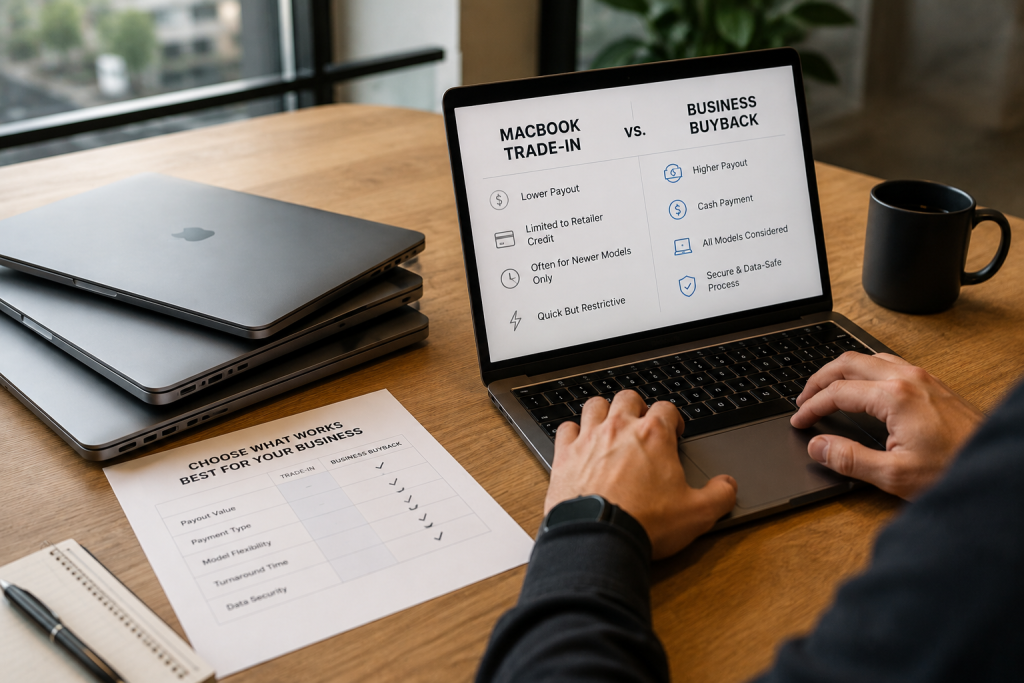
MacBook Trade-In vs Business Buyback Comparison
| Category | MacBook Trade-In | Business Buyback |
|---|---|---|
| Best fit | One or a few Apple devices | Corporate MacBook fleets and bulk Apple hardware |
| Payment type | Usually credit, gift card, or purchase credit | Direct business payment |
| Volume | Individual device focused | Built for multiple devices and mixed lots |
| Logistics | Often one device per kit or transaction | Shipping, freight, or pickup support for larger lots |
| Device mix | Mostly eligible trade-in devices | MacBooks, laptops, desktops, servers, accessories, and mixed IT assets |
| Condition flexibility | Trade-in value may drop after inspection | Buyers can quote working, damaged, and parts-value units separately |
| Business records | Limited for larger fleet workflows | Quote, verification, settlement, and inventory support |
| Speed for fleets | Can be slower for many devices | Faster when inventory is organized |
When MacBook Trade-In Makes Sense
MacBook trade-in can be a simple choice when you are replacing a personal device or a very small number of company laptops.
It may make sense if:
- You only have one MacBook.
- You already plan to buy a new Apple product.
- You want convenience over a cash recovery strategy.
- You do not need a full fleet quote.
- The device is eligible and in good condition.
Apple also provides instructions to prepare a Mac laptop for trade-in, including backing up the device and erasing content before shipping. That step matters because even a simple trade-in should start with data protection.
When Business Buyback Is the Better Fit
Business buyback is usually better when the goal is value recovery from a fleet, not credit for one replacement device.
Choose business buyback when:
- You have 10, 50, 500, or more MacBooks.
- You want cash instead of store credit.
- You have mixed models and conditions.
- You need to sell chargers, docks, and accessories.
- You have devices from a corporate refresh.
- You need help with shipping or pickup.
- You want one buyer for Apple, Dell, HP, Lenovo, servers, storage, and networking equipment.
- You need a quote your finance team can review.
For larger projects, your MacBooks may be part of a wider IT refresh. Our Corporate Laptop Fleet Resale Guide explains how to prepare business laptop fleets for resale, including inventory, charger counts, condition grading, and data handling.
What Affects MacBook Buyback Value?
MacBook buyback value changes based on model, age, specs, condition, demand, and how easy the devices are to process.
Important pricing factors include:
- MacBook Air vs MacBook Pro
- Apple silicon vs Intel-based models
- M1, M2, M3, M4, or newer chips
- Screen size
- RAM
- SSD storage
- Battery health
- Keyboard and trackpad condition
- Screen damage or dead pixels
- Activation Lock status
- MDM enrollment
- Charger count
- Quantity
- Current market demand
Newer Apple silicon models often attract stronger resale interest, but older MacBooks can still have value when they are clean, unlocked, and available in bulk.
Why Activation Lock and MDM Matter
Activation Lock, Apple Business Manager enrollment, and mobile device management can stop a MacBook from being reused. If a device is still tied to a company account, an employee account, or a management profile, resale value can drop sharply.
Before selling business MacBooks, your IT team should:
- Remove devices from Apple Business Manager or the proper management system when required.
- Remove MDM profiles.
- Disable Activation Lock.
- Confirm users are signed out.
- Erase or sanitize storage based on policy.
- Record serial numbers.
- Separate locked devices from unlocked devices.
This is one of the biggest differences between business resale and casual trade-in. Fleet buyers need devices that can be verified and redeployed.
Data Security Before MacBook Resale
MacBooks can contain emails, browser history, saved files, passwords, customer data, student records, healthcare information, financial records, design files, source code, and business credentials.
Before selling, make sure your organization has a data handling plan.
That plan should cover:
- Backups
- Data transfer
- User sign-out
- Storage sanitization
- Device erase steps
- Asset inventory
- Chain of custody
- Exception handling for failed or locked units
For businesses, simply deleting files is not enough. If laptops contain sensitive data, your team should use a documented process and keep records.
How to Prepare a MacBook Fleet for Buyback
You do not need a perfect spreadsheet to start, but organized information helps buyers quote faster.
1. Build a Basic Inventory
Include:
- Model
- Year or processor type
- Serial number, if available
- RAM
- Storage size
- Screen size
- Quantity
- Condition
- Charger count
- Location
2. Sort by Model and Condition
Separate:
- Working units
- Units missing chargers
- Units with screen damage
- Units with battery issues
- Locked or managed devices
- Parts-only units
This helps buyers give a cleaner quote and reduces price changes after inspection.
3. Count Chargers and Accessories
MacBook chargers, docks, adapters, keyboards, mice, and other accessories can affect resale readiness. Count them separately and note whether they are original Apple accessories or third-party items.
4. Remove Locks Before Pickup or Shipment
Locked MacBooks can delay verification and reduce value. If possible, remove Activation Lock and MDM enrollment before the equipment leaves your control.
5. Ask for a Business Quote
Once your list is ready, request a quote. We Buy Used IT Equipment can review Apple laptop fleets and other assets through the sell used IT equipment process.
Example: Trade-In vs Buyback Scenario
Imagine a company has 180 MacBook Air laptops after a three-year refresh.
With trade-in, the team may need to process each device individually, confirm eligibility, handle shipping steps, and accept credit instead of direct payment. If some units have damaged screens, missing chargers, or management locks, final values may vary.
With business buyback, the company can submit one inventory. The buyer can quote working units, damaged units, chargers, and any related IT equipment as one project. This can save time for IT and give finance a cleaner recovery record.
For most business fleets, that difference matters.
Common Mistakes That Lower MacBook Resale Value
Avoid these mistakes before selling:
- Waiting too long after a refresh
- Mixing models without counts
- Forgetting charger quantities
- Leaving Activation Lock enabled
- Leaving MacBooks enrolled in MDM
- Ignoring damaged screens or battery issues
- Shipping laptops without protection
- Selling one by one when you have a full fleet
- Assuming trade-in credit is always the best value
- Not asking for a bulk quote
The best resale process starts before the laptops leave your building.
How We Buy Used IT Equipment Can Help
We Buy Used IT Equipment buys used Apple laptops, business laptops, desktops, servers, storage, networking equipment, CPUs, memory, and mixed IT asset lots.
For MacBook fleets, we can help with:
- Fast business quotes
- Bulk Apple laptop buyback
- MacBook Air and MacBook Pro resale
- Mixed condition review
- Charger and accessory counts
- Shipping or pickup coordination
- Payment after verification
- Larger IT refresh and cleanout projects
If your organization is comparing MacBook trade-in and business buyback, start by sending your inventory. We can help you understand what the fleet may be worth and what information is needed for a faster quote.
FAQ
Is MacBook trade-in better than business buyback?
MacBook trade-in may be better for one personal device when you want credit toward a new Apple purchase. Business buyback is usually better for companies selling multiple MacBooks, mixed conditions, or full laptop fleets.
Can a business sell MacBooks in bulk?
Yes. Businesses can sell MacBooks in bulk after refreshes, lease cycles, office closures, school upgrades, and corporate cleanouts. A spreadsheet with model, specs, quantity, condition, and charger count helps speed up the quote.
What affects MacBook buyback value?
MacBook buyback value depends on model, processor, RAM, storage, screen condition, battery health, charger count, age, Activation Lock status, MDM status, quantity, and current demand.
Can I sell locked or MDM-enrolled MacBooks?
You may be able to sell locked or MDM-enrolled MacBooks, but value may be lower and processing may be delayed. Remove Activation Lock and MDM enrollment before resale when possible.
Do I need to erase MacBooks before selling them?
Business MacBooks should be erased or processed through a secure data handling workflow before resale. If the devices held sensitive data, keep documentation for your internal records.
Request a MacBook Buyback Quote
MacBook trade-in can be convenient for one device. Business buyback is often the better route when your organization has a fleet, wants direct payment, and needs a practical resale process.
Send your MacBook inventory to We Buy Used IT Equipment today. We will review your models, specs, condition, and quantities, then provide a clear quote for your used Apple laptops.