Skip to content
Facebook Instagram X-twitter Youtube Linkedin Phone

9033 9th St. Rancho Cucamonga, CA 91730

Menu
  • (800) 700-7683
Get A Quote
  • Sell Your Equipment
    • Servers
    • Storage Equipment
    • Networking Equipment
    • Tape Media
    • Memory
    • CPUs
    • Laptops
    • Telecom
    • Data Center Lots
    • Get a Quote
  • How It Works
    • Equipment Buyback Guide
    • The Complete Server Buyback Guide
    • Network Equipment Buyback Guide
    • Get A Quote
    • Secure Shipping
    • FAQ
  • Industries
    • Enterprise
    • Healthcare
    • Finance
    • Government
    • Education
    • MSPs & VARs
    • Data Centers
    • International
  • Resources
    • About Us
    • Contact Us
    • Blog
    • Videos
    • Case Studies
  • DES Services
    • ITAD Services
    • Data Destruction
    • NIST 800-88
    • Data Center Decommissioning
    • Electronics Recycling
    • Compliance & Certifications
  • Sell Your Equipment
    • Servers
    • Storage Equipment
    • Networking Equipment
    • Tape Media
    • Memory
    • CPUs
    • Laptops
    • Telecom
    • Data Center Lots
    • Get a Quote
  • How It Works
    • Equipment Buyback Guide
    • The Complete Server Buyback Guide
    • Network Equipment Buyback Guide
    • Get A Quote
    • Secure Shipping
    • FAQ
  • Industries
    • Enterprise
    • Healthcare
    • Finance
    • Government
    • Education
    • MSPs & VARs
    • Data Centers
    • International
  • Resources
    • About Us
    • Contact Us
    • Blog
    • Videos
    • Case Studies
  • DES Services
    • ITAD Services
    • Data Destruction
    • NIST 800-88
    • Data Center Decommissioning
    • Electronics Recycling
    • Compliance & Certifications
  • Sell Your Equipment
    • Servers
    • Storage Equipment
    • Networking Equipment
    • Tape Media
    • Memory
    • CPUs
    • Laptops
    • Telecom
    • Data Center Lots
    • Get a Quote
  • How It Works
    • Equipment Buyback Guide
    • The Complete Server Buyback Guide
    • Network Equipment Buyback Guide
    • Get A Quote
    • Secure Shipping
    • FAQ
  • Industries
    • Enterprise
    • Healthcare
    • Finance
    • Government
    • Education
    • MSPs & VARs
    • Data Centers
    • International
  • Resources
    • About Us
    • Contact Us
    • Blog
    • Videos
    • Case Studies
  • DES Services
    • ITAD Services
    • Data Destruction
    • NIST 800-88
    • Data Center Decommissioning
    • Electronics Recycling
    • Compliance & Certifications
Get A Quote

Electronics Recycling Best Practices

ewaste, Recycling
  • Alex
  • November 4, 2024
  • 1:32 pm
Browse:
Home ewaste Electronics Recycling Best Practices

Electronics Recycling Best Practices: Protect the Environment and Secure Your Data

With every new technology release, the capabilities and efficiencies available to organizations grow. But as devices improve, a new challenge arises—how to responsibly manage outdated and end-of-life equipment. Electronics recycling best practices not only address environmental impact but also ensure data security, which is increasingly essential in our digital age.

Each year, electronic waste, or e-waste, increases at an alarming rate. According to the United Nations, around 53.6 million metric tons of e-waste were produced worldwide in 2019, and this number continues to grow. This e-waste contains harmful chemicals that can damage ecosystems and human health if not properly handled. Additionally, improperly disposed equipment poses serious data security risks. Below, we outline the best practices for electronics recycling to help your organization protect the planet and secure sensitive information.

Understand the Importance of Electronics Recycling

Properly disposing of electronic devices is essential for two primary reasons: protecting the environment and safeguarding data. When equipment ends up in landfills or is disposed of without care, toxic chemicals like lead, mercury, and cadmium can seep into the soil, contaminating the groundwater and harming local communities.

In addition to environmental risks, discarded electronics often retain sensitive data. If this data is not completely erased, it can lead to data breaches, exposing client information and business data. Secure disposal practices are crucial to prevent data leaks and avoid legal repercussions.
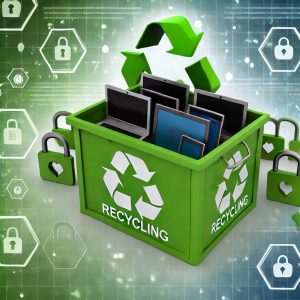
ewaste recycling

Key Electronics Recycling Best Practices

Implementing a few essential steps can ensure that your electronics recycling efforts are both environmentally responsible and secure.

1. Understand and Follow Local and Federal Regulations

Electronics recycling is regulated differently depending on your location. Staying informed about relevant laws and regulations is essential to avoid legal liabilities. Many states and countries require organizations to follow specific e-waste disposal practices to ensure both environmental and data security standards are met. Failing to comply can lead to fines and reputational damage. The Environmental Protection Agency (EPA) offers guidance on e-waste regulations, which can help your organization remain compliant.

2. Sanitize Devices Before Disposal

Before sending your electronics for recycling, it’s critical to erase all data. Use secure software tools to wipe hard drives and other storage devices. For those less experienced with data erasure, hiring a certified electronics recycling company to handle this step can be a smart choice. Proper sanitization ensures that no sensitive information remains accessible on the device, protecting your organization and clients.

3. Consider Reuse or Resale Options

Just because equipment is no longer useful to your organization doesn’t mean it has no value. Consider selling or donating working devices to extend their lifecycle and reduce landfill contributions. Many non-profits and charities accept used electronics, giving them a second life while helping those in need. In addition, reselling equipment can bring financial returns that can offset the cost of upgrades.

4. Choose a Certified Recycler

Not all recycling firms operate at the same standards. To ensure your e-waste is managed safely, work with a recycler certified by organizations like e-Stewards or R2 (Responsible Recycling). Certified recyclers follow rigorous guidelines for safe disposal, data security, and environmental protection. Before contracting a recycler, ask for documentation that proves they are certified and committed to ethical e-waste handling.

5. Request a Certificate of Data Destruction

A reputable recycling firm should provide a Certificate of Data Destruction for each device they process. This document verifies that all data has been securely erased and that the equipment has been disposed of in compliance with industry standards. Having this certification on record can provide peace of mind and protect your organization in case of future data or legal inquiries.

Why Data Security Should Be Your Priority

Most organizations have legal obligations to protect sensitive data, whether it’s client information or internal records. Data breaches are costly, both financially and reputationally, and improper disposal of electronic devices is a common source of data leaks. For example, a study by the National Association for Information Destruction (NAID) found that 40% of secondhand electronic devices contain sensitive information, highlighting the risks associated with inadequate disposal practices.

To prevent unauthorized access, ensure that all data-bearing devices are either wiped with data erasure software or physically destroyed before recycling. For those who prefer a hands-off approach, electronics recycling firms can handle data destruction in compliance with strict security standards, allowing your team to focus on other priorities.

Conclusion: Stay Vigilant for a Greener and Safer Future

Electronics recycling best practices help your organization responsibly handle obsolete technology while prioritizing both environmental and data security. With proper disposal, sanitization, and the right partnerships, you can play a role in reducing e-waste and safeguarding sensitive information.

When upgrading your IT equipment, consider WEBUYUSEDITEQUIPMENT.NET. Our secure, certified recycling process ensures your devices are handled responsibly. We offer Certificates of Data Destruction to give you peace of mind and compliance. Get in touch today for a hassle-free, environmentally conscious recycling service.


References

  • United Nations University, “The Global E-Waste Monitor 2020”
  • Environmental Protection Agency (EPA), “Electronics Recycling”
  • National Association for Information Destruction (NAID), “Data Security in Secondhand Electronics
Browse:
Home ewaste Electronics Recycling Best Practices

Phoenix
Certified

Learn More.

Get A Quote

Fill our form here
Picture of Alex

Alex

Expertise With over 15 years of experience in marketing and business development, Alex is a seasoned strategist in digital marketing, content creation, and brand growth, Ge has grown as a trusted voice in the technology and business sectors over the past decade. Education Alex holds a Master’s degree in Entrepreneurship and dual Bachelor’s degrees in Marketing and Entrepreneurial Management from California State University - San Bernardino. Experience Alex has led high-impact initiatives that have driven significant revenue growth, brand expansion, and customer engagement. His work includes managing e-commerce operations, optimizing digital advertising strategies, and developing content that educates and informs professionals about technology and business trends. Outside of Work Beyond his professional endeavors, Alex enjoys staying active and spending quality time with family.
PrevPreviousTape Storage: Securing Data in a Digital Age
NextData Center Evolution: From On-Site Hubs to Cloud SolutionsNext

Client
Testimonials

“The buyback program was easy for me to use. I simply sent WEBUY an email with the list of surplus items that I had. WEBUY replied back with a quoted value. I then shipped WBUY the tapes and quickly received payment. The process was very easy and I felt good that I wasn’t throwing the equipment into the landfill and someone else can make use of them.

I will do business with WBUY again.”

Bay Industries Inc.

“I have to say once I found you the process was relatively quick and straightforward. Your website provided great details and once I submitted my inventory within 24 hours I had a quote and confirmation of the dollar amount.

The entire process from shipment to check in hand was painless and quick, I will most definitely use this service again and have already recommended it to my other peers.”

Masons of California

Subscribe To Our Newsletter

Your inbox deserves better. Sign up for regular updates, insights, and deals!

  • Sorry, this service is unavailable in your country.

  • Should be Empty:
Facebook Instagram X-twitter Youtube Linkedin
BUY EQUIPMENT
  • Backup Tape
  • New Equipment
  • Refurbished Equipment
  • Warranty Info
  • Backup Tape
  • New Equipment
  • Refurbished Equipment
  • Warranty Info
SELL EQUIPMENT
  • Servers
  • Backup Tape
  • Removable Storage
  • Telecom & VOIP
  • Networking & Switches
  • Memory
  • CPUs and Processors
  • Laptops
  • Tape Drives
  • SFP Transceivers
  • Scrap Electronics
  • Servers
  • Backup Tape
  • Removable Storage
  • Telecom & VOIP
  • Networking & Switches
  • Memory
  • CPUs and Processors
  • Laptops
  • Tape Drives
  • SFP Transceivers
  • Scrap Electronics
SERVICES
  • IT Asset Disposition
  • Data Destruction
  • Data Center Services
  • Secure Shipping
  • Donate Your Assets
  • International Sales
  • Onsite Services
  • Electronics Recycle
  • IT Asset Disposition
  • Data Destruction
  • Data Center Services
  • Secure Shipping
  • Donate Your Assets
  • International Sales
  • Onsite Services
  • Electronics Recycle
Visit Us
  • 9033 9th St. Rancho Cucamonga, CA 91730
  • West Coast: +1 (800) 700-7683
  • East Coast: +1 (800) 821-1782
  • Local: +1 (909) 466-7680

© 2026 DES Technologies. All Rights Reserved. Website created with 💛 by mrrssy.

Accessibility Adjustments

Powered by OneTap

How long do you want to hide the toolbar?
Hide Toolbar Duration
Select your accessibility profile
Vision Impaired Mode
Enhances website's visuals
Seizure Safe Profile
Clear flashes & reduces color
ADHD Friendly Mode
Focused browsing, distraction-free
Blindness Mode
Reduces distractions, improves focus
Epilepsy Safe Mode
Dims colors and stops blinking
Content Modules
Font Size

Default

Line Height

Default

Color Modules
Orientation Modules

We use cookies to provide you with the best browsing experience, personalize content of our site, analyse its traffic and show you relevant ads. See our privacy policy for more information.


Powered by WP Full Picture

Statistics

I want to help you make this site better so I will provide you with data about my use of this site.

Personalisation

I want to have the best experience on this site so I agree to saving my choices, recommending things I may like and modifying the site to my liking

Marketing

I want to see ads with your offers, coupons and exclusive deals rather than random ads from other advertisers.

Powered by WP Full Picture

Search